Register for your free account! | Forgot your password?

Go Back   elitepvpers > Popular Games > Silkroad Online > SRO Coding Corner
You last visited: Today at 06:04

  • Please register to post and access all features, it's quick, easy and FREE!

Advertisement


[PK2 TOOL] BMS Model converter

Discussion on [PK2 TOOL] BMS Model converter within the SRO Coding Corner forum part of the Silkroad Online category.

Reply
 
Old 06/03/2013, 16:04   #331
 
elite*gold: 0
Join Date: Dec 2008
Posts: 1,600
Received Thanks: 1,154
Quote:
Originally Posted by yurka333 View Post
Seems u used Sublivision Subface to make that stone, sro doesn't allow using any addons from blender, only polygons and that all
Addon? I didn't used any Addon in Blender, those are default Settings, I used Subdivide to create more Vertices on the Model and than "Smooth" nothing more.

I made that Stone simply by adding more Vertices on the Cube which appears once you start Blender, took me one hour to form that Model.

The Stone appears ingame, though it's totally Black which means something is wrong with the Texture but hurrdurr ... This was enough for today.

You can use any Addons as long as your Export Settings are correctly.
Lolill0 is offline  
Old 06/03/2013, 18:08   #332
 
perrytje's Avatar
 
elite*gold: 0
Join Date: Feb 2008
Posts: 226
Received Thanks: 531
Quote:
Originally Posted by Lolill0 View Post
You can use any Addons as long as your Export Settings are correctly.
This
perrytje is offline  
Old 06/03/2013, 18:18   #333
 
elite*gold: 0
Join Date: Dec 2008
Posts: 1,600
Received Thanks: 1,154
Quote:
Originally Posted by perrytje View Post
This
Any good Advice how I should edit the Texture? Well, I got the UV Texture from the Model but the Picture just shows me the Model itself (Vertices).

Not sure how to edit that (Not a Photo Editor Pro ~_~)
Lolill0 is offline  
Old 06/03/2013, 20:27   #334
 
perrytje's Avatar
 
elite*gold: 0
Join Date: Feb 2008
Posts: 226
Received Thanks: 531
You can go to UV > export UV layout in the uv window, which will basically give you a template to color in using for example photoshop or any other painting program. If you unwrapped in a smart way that shouldn't be too hard.
perrytje is offline  
Thanks
1 User
Old 06/23/2013, 15:13   #335
 
Ch3tos's Avatar
 
elite*gold: 30
Join Date: Feb 2013
Posts: 159
Received Thanks: 118
Aowesome :O
Ch3tos is offline  
Old 07/04/2013, 22:38   #336
 
elite*gold: 0
Join Date: Dec 2008
Posts: 1,600
Received Thanks: 1,154
I doubt you're interested in SRO anymore or Perry?

I can also assume there won't be any Tools that will convert Animations Q_Q

I have discovered this Addon for Blender, it wouldn't even take long to create nicely done Animations.

Lolill0 is offline  
Old 07/05/2013, 14:05   #337
 
perrytje's Avatar
 
elite*gold: 0
Join Date: Feb 2008
Posts: 226
Received Thanks: 531
Still working on projects just for fun with the old venture team, who knows what will come out of this.
perrytje is offline  
Thanks
2 Users
Old 07/05/2013, 21:52   #338
 
Ferpa_'s Avatar
 
elite*gold: 100
Join Date: Sep 2009
Posts: 1,195
Received Thanks: 379
i hope a re-open xD
Ferpa_ is offline  
Old 07/08/2013, 14:50   #339
 
elite*gold: 0
Join Date: Mar 2009
Posts: 2,748
Received Thanks: 2,010
Nezekan is offline  
Thanks
1 User
Old 07/09/2013, 15:44   #340
 
elite*gold: 0
Join Date: Nov 2012
Posts: 157
Received Thanks: 52
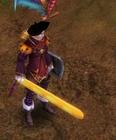
Any one could give me a hint on why you think my item looks like this in-game when it should look like this
Guar_dianS is offline  
Old 07/09/2013, 15:48   #341
 
perrytje's Avatar
 
elite*gold: 0
Join Date: Feb 2008
Posts: 226
Received Thanks: 531
Quote:
Originally Posted by Guar_dianS View Post
Any one could give me a hint on why you think my item looks like this in-game when it should look like this
Looks like you have to triangulate your faces. (You can do this by pressing Ctrl+T in edit mode or by going to Mesh > Faces > Triangulate faces(also in edit mode).)
perrytje is offline  
Old 07/14/2013, 00:36   #342
 
elite*gold: 0
Join Date: Jun 2008
Posts: 54
Received Thanks: 4
convert obj to bms is not working 4 me :/ it throws an exception
arracho is offline  
Old 07/14/2013, 01:29   #343
 
elite*gold: 0
Join Date: Dec 2008
Posts: 1,600
Received Thanks: 1,154
Quote:
Originally Posted by arracho View Post
convert obj to bms is not working 4 me :/ it throws an exception
That means you did something wrong in Blender for the Export Settings.

Normally you just need to select :

Selection Only
Include Normals
Invlude VUs
Triangulare Faces

and it should work. Well it does work ... always ...
Lolill0 is offline  
Old 07/14/2013, 10:04   #344
 
elite*gold: 0
Join Date: Jun 2008
Posts: 54
Received Thanks: 4
okay i'll check it again. Thank you!

edit: i tried it, now i can convert to bms but client crash on load, if i open the model converted with XVI32, the file has much less text than original
arracho is offline  
Old 07/14/2013, 11:51   #345
 
perrytje's Avatar
 
elite*gold: 0
Join Date: Feb 2008
Posts: 226
Received Thanks: 531
Quote:
Originally Posted by arracho View Post
okay i'll check it again. Thank you!

edit: i tried it, now i can convert to bms but client crash on load, if i open the model converted with XVI32, the file has much less text than original
Make sure you had your object selected when you exported. Also if you get an error, please state it here. I don't have psychic powers, I don't know what's going on. It's like going to the doctor and saying "give me medicine", you will have to be a bit more specific.
perrytje is offline  
Reply

Tags
bms, model, obj, pk2, tool


Similar Threads Similar Threads
[Tool] EDF converter
12/11/2012 - RFO Hacks, Bots, Cheats, Exploits & Guides - 26 Replies
Here is the Item edf Converter. I looked on the site to find it and still couldn't find it. After about 3 hours of looking (google didnt even show up with it lol) I found it and thought i would post it here for you guys to use. BTW im not A leecher If i PM you I Just lost the PW to the email on my other account and the account password look it up name is Dro in member list. ********* Edit *********
[TooL] AgBot Script Converter
09/08/2012 - SRO Hacks, Bots, Cheats & Exploits - 34 Replies
Hey E*PvP members. Here is a litle tool me and hussert ware working on. AgBot Script Converter Current Version 1.00 Screenshot: http://img126.imageshack.us/img126/7180/logonp1.pn g Functions:
SIlkroad Model Converter + View Sample [C#]
11/26/2010 - SRO Coding Corner - 13 Replies
I am finished with my C# BMS Converter: class BMSConverter { int charCount; int vertCount; int boneCount; int faceCount; string mtlLib; string meshGroup;
[Tool] Model Changer
08/06/2009 - SRO Hacks, Bots, Cheats & Exploits - 3 Replies
....
[TOOL] dxtbmpx -dds converter
03/26/2009 - CO2 Private Server - 0 Replies
dxtbmp I found a tool for converting dds files in normal grafic files and back. But i donīt know if this here is the right forum part How to use it? I.install the programm II. open the programm Converting dds to bmp III. press "File" and then "open" and chose the dds file that you want to convert


All times are GMT +1. The time now is 06:05.


Powered by vBulletin®
Copyright ©2000 - 2026, Jelsoft Enterprises Ltd.
SEO by vBSEO ©2011, Crawlability, Inc.

Support | Contact Us | FAQ | Advertising | Privacy Policy | Terms of Service | Abuse
Copyright ©2026 elitepvpers All Rights Reserved.