Dear Perrytje.
I, like many before me, seek your wisdom and enlightenment. I have an unresolved issue that I wish to bring to your attention.
I have stumbled upon a problem while trying to import the .SrObj files into Blender, and cannot for the life of me figure out what is wrong. Here follows the message I receive once trying to import:
I have taken several different approaches to the problem, hoping in vain I would encounter a solution, including:
- Blender version. Tried versions 2.5 and 2.6 [32 and 64 bit]
- ModelConverter version. using the type with US-support
- Blender settings
- Blender plugins (.py files). File location and correct version.
- Multiple different meshes (i.e. ones from your example)
The error message itself tells me that the mesh has no attribute 'uv_layers', yet the same files work perfectly fine in .obj format, and show normal uv maps(but of course they don't have the groups).
Would you be so kind as to make use of your knowledge and insight to help a rather inexperienced, yet ambitious fellow editor?
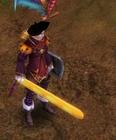
P.S.: Since you were curious about what other people have made, here is my contribution:
Dear Perrytje.
I, like many before me, seek your wisdom and enlightenment. I have an unresolved issue that I wish to bring to your attention.
I have stumbled upon a problem while trying to import the .SrObj files into Blender, and cannot for the life of me figure out what is wrong. Here follows the message I receive once trying to import:
I have taken several different approaches to the problem, hoping in vain I would encounter a solution, including:
- Blender version. Tried versions 2.5 and 2.6 [32 and 64 bit]
- ModelConverter version. using the type with US-support
- Blender settings
- Blender plugins (.py files). File location and correct version.
- Multiple different meshes (i.e. ones from your example)
The error message itself tells me that the mesh has no attribute 'uv_layers', yet the same files work perfectly fine in .obj format, and show normal uv maps(but of course they don't have the groups).
Would you be so kind as to make use of your knowledge and insight to help a rather inexperienced, yet ambitious fellow editor?
P.S.: Since you were curious about what other people have made, here is my contribution:
As far as I know, Importing a COLLADA Format into Blender and exporting it as OBJ File should work.
Since you can see the Groups when you import a File with the COLLADA Format plus Armatures.
Personally, I just tested it with one random Weapon but it worked so ya, just give it a try
Great release. Also sorry if i say something off but im waiting for joymax's new big bang and i want to share with you my theory. This is an awesome game and its fallin to pieces for programmers. I love coding to sro and now quite everyone could edit what they want. Drew, and other guys like you made the structure of the game easy understandable, saving the hobby programmers time. Okay, now we have our great game in pieces, we could do what we want, day by day from bad to worse pservers coming out and wondrously isro will be dead soon. Ok, lets talk about isro. What do you think joymax is kinda noob these days? Lost their economists? I dont think so. My theory is something is already in the air and they are coming back with something actual, new, and the most amazing mmo which could collect the old sro players and make new ones addicted too. Maybe silkroad 2? What do you think guys?
Honestly I just think joymax is done with silkroad. I think they've come to a point where they really don't want to develop it anymore, but they don't want to let the remaining players and the team down. I wouldn't be surprised if they would announce stopping development if this decreasing of playercount continues.
@LastThief, please be nice to portaldark, he was just doing what I asked him to do :P I saw release section so I thought ok, but I don't think this thread fits in the 'private hacks/bots/tools/guides'.
Yo, back to the Topic well ... I got this Problem and I doubt the Model itself is wrecked ...
What I mean the Texture is corrupted somehow (It has only one Texture and only one Mesh at all)
Some Texture Spots are wrong like the green Textures on the legs of the Robot shouldn't be there at all.
The same goes for Tentacy (I call it like that ..), the Texture is somehow wrong at all and on the wrong Places like as you can see it in the Mouth of that one.
Any solutions for that? I'm driving nuts already, been trying to get those work for a Week and ya, not sure about the Compression Method of the Texture, already tried DXT3 and ya, pretty much the same result.
Looks like either a problem in your texture coordinates (does the texture show correctly in blender?) or a little offset in the texture image (still coords actually).
Try mapping the texture on in Blender and see what happens there.
look at the texture coords and the textures in blender. How are they mapped? (I mean in the UV window) it could be the the texture is rotated/mirrored or something.
[Tool] EDF converter 12/11/2012 - RFO Hacks, Bots, Cheats, Exploits & Guides - 26 Replies Here is the Item edf Converter. I looked on the site to find it and still couldn't find it.
After about 3 hours of looking (google didnt even show up with it lol) I found it and thought i would post it here for you guys to use.
BTW im not A leecher If i PM you I Just lost the PW to the email on my other account and the account password look it up name is Dro in member list.
*********
Edit
*********
[TooL] AgBot Script Converter 09/08/2012 - SRO Hacks, Bots, Cheats & Exploits - 34 Replies Hey E*PvP members.
Here is a litle tool me and hussert ware working on.
AgBot Script Converter
Current Version 1.00
Screenshot:
http://img126.imageshack.us/img126/7180/logonp1.pn g
Functions:
SIlkroad Model Converter + View Sample [C#] 11/26/2010 - SRO Coding Corner - 13 Replies I am finished with my C# BMS Converter:
class BMSConverter
{
int charCount;
int vertCount;
int boneCount;
int faceCount;
string mtlLib;
string meshGroup;
[TOOL] dxtbmpx -dds converter 03/26/2009 - CO2 Private Server - 0 Replies dxtbmp
I found a tool for converting dds files in normal grafic files and back.
But i don´t know if this here is the right forum part
How to use it?
I.install the programm
II. open the programm
Converting dds to bmp
III. press "File" and then "open" and chose the dds file that you want to convert






![[PK2 TOOL] BMS Model converter](https://www.elitepvpers.com/forum/iconimages/sro-coding-corner/pk2-tool-bms-model-converter_ltr.gif)








 SRO Coding Corner -> Private SRO Exploits/Hacks/Bots/Guides




 This is an awesome game and its fallin to pieces for programmers. I love coding to sro and now quite everyone could edit what they want. Drew, and other guys like you made the structure of the game easy understandable, saving the hobby programmers time. Okay, now we have our great game in pieces, we could do what we want, day by day from bad to worse pservers coming out and wondrously isro will be dead soon. Ok, lets talk about isro. What do you think joymax is kinda noob these days? Lost their economists? I dont think so. My theory is something is already in the air and they are coming back with something actual, new, and the most amazing mmo which could collect the old sro players and make new ones addicted too. Maybe silkroad 2? What do you think guys?


