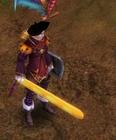
Sorry for my bad explanation before. I'm trying to change the d8 blade model in "zangetsu" from bleach. i have the model already converted to bms. it seems to be working at blender, i can reconvert it to obj and i can open it with blender.
when i import it to data.pk2 and i open the client, if i equip a d8 blade my client crash.
Maybe can i send you the model or something, will it help you to undestand my problem?
Normally you open the Model in Blender before you convert it in the BMS Converter.
Once in Blender, you should smooth the Model (There is a Option for that if you go into the Edit Mode) and once done you should export it again as a .OBJ File.
I guess you had still something ticked on, there are more Options in the Export if you scroll down. Just tick those 4 Options I gave you and Export it, also do not forget, Silkroad sometimes doesn't like small things in Blender (You have to oversize it mostly so you can see it in SRO).
it was .blend i converted it to .obj i ticked only the options you said before but i think that my problem is the texture, guide's step 6, i don't know why but i think it does not unwrap as it should do it.
Maybe can we contact on skype or smth? i think you'll can help me better with a chat
it was .blend i converted it to .obj i ticked only the options you said before but i think that my problem is the texture, guide's step 6, i don't know why but i think it does not unwrap as it should do it.
Maybe can we contact on skype or smth? i think you'll can help me better with a chat
My english sux, i know, srry for it.
Select the Model in Blender by right-clicking on it, drag the Texture on it and if it looks fine like it should, then it should look fine in SRO as well.
No need to save the Model plus the Texture on it in Blender, basically, you can save the "White" Model and the Texture only causes it to appear in every Game.
I finally did it. now i have the new sword ingame but the colors are not correct. I'm trying with a hylian shield too just testing but i'm doing smth wrong with the texture. How can i fix it? i see the item ingame but not with the correct colors only with some lines..
Check your UV map. The best way to check everything is to map your texture onto the object in blender ( I explained it in the first post). If everything looks correctly there you probably messed up during importing.
I finally got how to import 3D models. Thank you all for your help.
Now i come back with another question because i have a problem with this only model, i'm trying to import the key weapon from kingdom hearts but.. why i can see my 3D model at char selection screen with textures, working fine, and when i press start it charges the bar and crash?
i'm rly feeling idiot, i tried everything and i can't find the reason. Can some1 help me?
I finally got how to import 3D models. Thank you all for your help.
Now i come back with another question because i have a problem with this only model, i'm trying to import the key weapon from kingdom hearts but.. why i can see my 3D model at char selection screen with textures, working fine, and when i press start it charges the bar and crash?
i'm rly feeling idiot, i tried everything and i can't find the reason. Can some1 help me?
Thank you!
If it works at the login screen it should work ingame, make sure there's not some other edit crashing your client.
i thought the same but there isnt anything that makes crash the client, if i try to login without this model it works. I think it can be a problem in bsk file or.. idk because if i change the bsr file and i use other 3D models it works too. I don't know then where can i find the problem.
So i see about 2 months back a post about having been about half way though the .ban file converter/ script to use them, whats the progress report looking like on that atm? as well as if its simple for you to explain of course, what level of programming, or should i say language of understanding, is needed to be able to break down formats like .ban and .bsk and such to be able to create something that can understand them? I'd like to do my own research instead of just relying on you, but i don't even know where to start, currently learning C++ but doesnt seem to be getting me anywhere with this. No offence, I just wanna do something for myself. i love the converter, I can confirm that you can use the .OBJ files it creates in Maya 2012 x64. The DDJs can easily be converted and stuck onto the model. The .OBJ's from Maya can be converted back (no compatibility issues yet).
Thanks,
Josh
PS why im asking what level or language did you need is because I don't know how to google that... usually i can figure something out to type in google but i would feel a little silly typing in "Programming required to break down other file types to be understood" cuz that returned me nothing useful. basically im asking you to point me in the right direction and let me figure it out from there. I don't want you to teach me anything, or do it for me, just tell me where to start.
For breaking down file formats you don't need to know any programming really, except for what the standard data types are (integers/floats/bytes/chars for example) and what they can be used for (integers as whole numbers, floats as rational numbers etc). Then all you have to do is basically figure out what you EXPECT to be in the file (you will need some knowledge on the subject), and then just search the file with your hex editor and see if you can find it. Then you would obviously still need to know enough programming to read/write a binary file, but that's basic and can easily be found on google.
[Tool] EDF converter 12/11/2012 - RFO Hacks, Bots, Cheats, Exploits & Guides - 26 Replies Here is the Item edf Converter. I looked on the site to find it and still couldn't find it.
After about 3 hours of looking (google didnt even show up with it lol) I found it and thought i would post it here for you guys to use.
BTW im not A leecher If i PM you I Just lost the PW to the email on my other account and the account password look it up name is Dro in member list.
*********
Edit
*********
[TooL] AgBot Script Converter 09/08/2012 - SRO Hacks, Bots, Cheats & Exploits - 34 Replies Hey E*PvP members.
Here is a litle tool me and hussert ware working on.
AgBot Script Converter
Current Version 1.00
Screenshot:
http://img126.imageshack.us/img126/7180/logonp1.pn g
Functions:
SIlkroad Model Converter + View Sample [C#] 11/26/2010 - SRO Coding Corner - 13 Replies I am finished with my C# BMS Converter:
class BMSConverter
{
int charCount;
int vertCount;
int boneCount;
int faceCount;
string mtlLib;
string meshGroup;
[TOOL] dxtbmpx -dds converter 03/26/2009 - CO2 Private Server - 0 Replies dxtbmp
I found a tool for converting dds files in normal grafic files and back.
But i don´t know if this here is the right forum part
How to use it?
I.install the programm
II. open the programm
Converting dds to bmp
III. press "File" and then "open" and chose the dds file that you want to convert






![[PK2 TOOL] BMS Model converter](https://www.elitepvpers.com/forum/iconimages/sro-coding-corner/pk2-tool-bms-model-converter_ltr.gif)