Thanks, that helps I'll get right on learning about that =)!
Would file size being too large cause a crashing client? I'm trying to work a maya based OBJ into your converter that will then go into the client and work fine. HOWEVER... when everything gets done the highest file size i see is 29.9k, and then there is the one i added... 196.5k. could that cause a crash? I based my export options by your blender ones, there are surprisingly a lot of the same options but anyways, thoughts? and by crash i mean the client closes and I get "Silkroad Online has stopped responding" windows error.
200 kb is not that big, should not be a problem at all, if the converter works you might want to check if you have the right material name in the bms and the right references everywhere else (no typo's?). Also to comment on the export settings, it's not surprising at all that maya has roughly the same options blender has, since they are both programs that work with 3D models and are both performing the same functionality (exporting as obj).
i don't think i was quite clear on this... what i was referring to is the BMS after converting is monstrous in comparison to all of the other models, but i'll definately try some of the other things you two have suggested and get back to ya
i still have the same problem, i can't undestand why i can see the model on character selection and it crashes ingame. Simply i don't undestand it, it's the same character selec - ingame -.-'
i still have the same problem, i can't undestand why i can see the model on character selection and it crashes ingame. Simply i don't undestand it, it's the same character selec - ingame -.-'
Prolly PK2 Error or you did not choose the right Export Settings.
Both of these, be sure to replace only Grappets at the beginning (Easiest to replace in my Opinion)
If you should get a Crash after you replaced one, then you did choose the wrong Export Settings.
(You should replace the Raccoon Dog Grappet, that one hasn't much Files in the PK2, maybe the Squirrel as well )
Being finally done with sro(like anyone cares :P), I thought I'd upload just a few of things I've made with this tool. So.. I'm gonna just go ahead and assume it's ok to show some stuff I made here:
Wolverine claws
Full album (from other/better angles):
Scythe
Full album (from other/better angles):
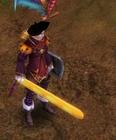
Light sabre:
A bow(don't even remember where it's from)
Jupiter's spear
[IMG]i.imgur.com/be553xG.jpg[/IMG]
Thanks again to Perry for making it.
Also I'm sure people would appreciate that .ban or .bsk converter/editor you spoke of.
EDIT: well those images clearly didn't show up -.- Guess you gotta copy the links
Being finally done with sro(like anyone cares :P), I thought I'd upload just a few of things I've made with this tool. So.. I'm gonna just go ahead and assume it's ok to show some stuff I made here:
Wolverine claws Full album (from other/better angles):
Scythe
Full album (from other/better angles):
Light sabre:
A bow(don't even remember where it's from)
Jupiter's spear
[IMG]i.imgur.com/be553xG.jpg[/IMG]
Thanks again to Perry for making it.
Also I'm sure people would appreciate that .ban or .bsk converter/editor you spoke of.
EDIT: well those images clearly didn't show up -.- Guess you gotta copy the links
Looks cool, I think I recognize some of the models. Thanks for sharing!
@pery: see 2 pic.... i working with your guide.. but textures of item error.
How to fix it ? Help me
In blender it looks like you added the image while you are in object mode. Try duplicating the steps you took to take that first screenshot, but then put the model in edit mode. Then have a look at the UV map in the right window.
EDIT: looks like you are using the original texture (with the sro spears) in your second screenshot, check if you didn't mess anything up there.
[Tool] EDF converter 12/11/2012 - RFO Hacks, Bots, Cheats, Exploits & Guides - 26 Replies Here is the Item edf Converter. I looked on the site to find it and still couldn't find it.
After about 3 hours of looking (google didnt even show up with it lol) I found it and thought i would post it here for you guys to use.
BTW im not A leecher If i PM you I Just lost the PW to the email on my other account and the account password look it up name is Dro in member list.
*********
Edit
*********
[TooL] AgBot Script Converter 09/08/2012 - SRO Hacks, Bots, Cheats & Exploits - 34 Replies Hey E*PvP members.
Here is a litle tool me and hussert ware working on.
AgBot Script Converter
Current Version 1.00
Screenshot:
http://img126.imageshack.us/img126/7180/logonp1.pn g
Functions:
SIlkroad Model Converter + View Sample [C#] 11/26/2010 - SRO Coding Corner - 13 Replies I am finished with my C# BMS Converter:
class BMSConverter
{
int charCount;
int vertCount;
int boneCount;
int faceCount;
string mtlLib;
string meshGroup;
[TOOL] dxtbmpx -dds converter 03/26/2009 - CO2 Private Server - 0 Replies dxtbmp
I found a tool for converting dds files in normal grafic files and back.
But i don´t know if this here is the right forum part
How to use it?
I.install the programm
II. open the programm
Converting dds to bmp
III. press "File" and then "open" and chose the dds file that you want to convert






![[PK2 TOOL] BMS Model converter](https://www.elitepvpers.com/forum/iconimages/sro-coding-corner/pk2-tool-bms-model-converter_ltr.gif)




 )
)





