done with the old bms
if i tried a new model get dat error was selected too
tested covert to obj them import to blender and export srobj got the error too
so my only solution to edit the exist bms? so i cant make my own !!
it has one group
btw i desgin the new items with 3D max and that's it's export options if it would help
i tried to import the new desgin in blender with poly group like that
actually it exported as srobj fine
but when i try to import it back in it rotate it self
SO I WAS THINKing of copying vertex group of a old dress to the new one
going to test it
i tryed to copy names of Silkroad vertex groups to model from other game, and it didn't worked, its all cause of different skeleton or something like that
nah iam guessing skeleton doesn't i matter .. i think
beside it succeesfully exported to .srobj (a new model) when i imported it with poly group
obj ofc
nah iam guessing skeleton doesn't i matter .. i think
beside it succeesfully exported to .srobj (a new model) when i imported it with poly group
obj ofc
Skeleton is just needed for the Animation Part, since all Files are linked via BSR (BMS (Model), BSK (Skeleton), BAN (Animation)).
That means, if you have a Model without the Skeleton but you have the Animation, the Model itself won't be able to show the Animation.
The same goes in that Way, you got the BMS and BSK File but not the BAN File, the Model will show a Pose the whole time.
Also, you can't simply replace a different Model with another one and expect to see working Animations, since the BAN File reads the BSK File to display a Animation for the BMS File.
That's how the Linking System works for the Model Parts. ^^
Well, the Important Part still are the BMT Files, they sign up every Texture on Multi-Mesh Models.
If there wouldn't be any Textures on the Model, the Model itself is invisible.
(A single Model like some Tea Cup has only one Textures, while a whole Building has mostly 3-4 Textures, divided by each Part, means the Roof for the Building has a Texture assigned in the BMT File, the Wall as well, the ground as well.)
Skeleton is just needed for the Animation Part, since all Files are linked via BSR (BMS (Model), BSK (Skeleton), BAN (Animation)).
That means, if you have a Model without the Skeleton but you have the Animation, the Model itself won't be able to show the Animation.
The same goes in that Way, you got the BMS and BSK File but not the BAN File, the Model will show a Pose the whole time.
Also, you can't simply replace a different Model with another one and expect to see working Animations, since the BAN File reads the BSK File to display a Animation for the BMS File.
That's how the Linking System works for the Model Parts. ^^
Well, the Important Part still are the BMT Files, they sign up every Texture on Multi-Mesh Models.
If there wouldn't be any Textures on the Model, the Model itself is invisible.
(A single Model like some Tea Cup has only one Textures, while a whole Building has mostly 3-4 Textures, divided by each Part, means the Roof for the Building has a Texture assigned in the BMT File, the Wall as well, the ground as well.)
Completely correct, with the addition that there is always one bmt file per bsr, but there can be multiple bms files, which each have exactly one material (the name you type in in the converter is also in the bmt, with the correct .ddj file linked to it). So when talking about your building you have to keep in mind that the roof and wall will be seperate bms files.
so bsk needed in moving objects and ban
about models which have more than one Textures
when i export it with 3D max
in export options can export it as one object
and yet it gives me obj and bmt as well in the export
thanks for the info
I don't get where you even get this image host from, it took literally 10 minutes to load a quarter and then just stopped, use tinypic or imageshack or something.
I don't get where you even get this image host from, it took literally 10 minutes to load a quarter and then just stopped, use tinypic or imageshack or something.
I made it successfully Thank you
fix update Blender 2.68 successfully plugin import hahaha
Thank you
Thank you
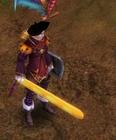
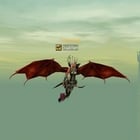
can you release the mangyang with that chainsaw ? :P
Lost it when the harddrive of my last laptop broke down I think. It's not that hard to make it yourself though, took me only 20 minutes to make, it was really just to test.
[Tool] EDF converter 12/11/2012 - RFO Hacks, Bots, Cheats, Exploits & Guides - 26 Replies Here is the Item edf Converter. I looked on the site to find it and still couldn't find it.
After about 3 hours of looking (google didnt even show up with it lol) I found it and thought i would post it here for you guys to use.
BTW im not A leecher If i PM you I Just lost the PW to the email on my other account and the account password look it up name is Dro in member list.
*********
Edit
*********
[TooL] AgBot Script Converter 09/08/2012 - SRO Hacks, Bots, Cheats & Exploits - 34 Replies Hey E*PvP members.
Here is a litle tool me and hussert ware working on.
AgBot Script Converter
Current Version 1.00
Screenshot:
http://img126.imageshack.us/img126/7180/logonp1.pn g
Functions:
SIlkroad Model Converter + View Sample [C#] 11/26/2010 - SRO Coding Corner - 13 Replies I am finished with my C# BMS Converter:
class BMSConverter
{
int charCount;
int vertCount;
int boneCount;
int faceCount;
string mtlLib;
string meshGroup;
[TOOL] dxtbmpx -dds converter 03/26/2009 - CO2 Private Server - 0 Replies dxtbmp
I found a tool for converting dds files in normal grafic files and back.
But i don´t know if this here is the right forum part
How to use it?
I.install the programm
II. open the programm
Converting dds to bmp
III. press "File" and then "open" and chose the dds file that you want to convert






![[PK2 TOOL] BMS Model converter](https://www.elitepvpers.com/forum/iconimages/sro-coding-corner/pk2-tool-bms-model-converter_ltr.gif)