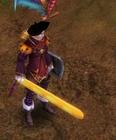
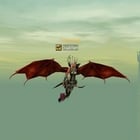
Thank you i fixed the problem and its worked fine. But i have some other problem. I edited Mangnyang mob and i extrached the srobj without any problems from blender and imported the game but im getting crash when i see the mangnyang mob in gameplay, this problem could be about assigning vert groups ?
Thank you i fixed the problem and its worked fine. But i have some other problem. I edited Mangnyang mob and i extrached the srobj without any problems from blender and imported the game but im getting crash when i see the mangnyang mob in gameplay, this problem could be about assigning vert groups ?
You can check out my project ;
The file looks fine to me, could it be that you used the wrong mesh group/material? if it really still doesn't work I will need the .bms and not the .blend to figure out what's going on
The file looks fine to me, could it be that you used the wrong mesh group/material? if it really still doesn't work I will need the .bms and not the .blend to figure out what's going on
The 4 is not part of the material, it's just Mangnyang, you can see the 09 byte after the last byte of the mesh name, that's the length of the material name.
I need help. I read whole this thread, searched around some tutorial etc, but still can't get, how do i edit color of future weapon.
Okey, i think i need to save somehow UV map in blender to .dds and then convert to .ddj. But problem is that, i don't know how to specify compliance between image in .ddj file and model in .bms.
Maybe that info is in .bmt file, idk. I extracted sword1_2_3.ddj, like in perrytje's example, but i see there few different sword images. How do i can create my own color of weapon, or should i edit that .ddj. Thank you.
The UV map is responsible for mapping the image onto the weapon, try opening the image in the uv screen like I showed in the first post and you will understand.
I thought first i did something wrong with my Blender-edit, but if i Convert the BMS to OBJ, (chance nothing) and try to convert it back i got this error:
I thought first i did something wrong with my Blender-edit, but if i Convert the BMS to OBJ, (chance nothing) and try to convert it back i got this error:
Did u selected whole project in Edit Mode and selected Export settings as perrytje showed?
perrytje, that's was not my problem, I just quoted ichbinhierneu's post xD Nezekan, well, its just a bit bigger then in anime, but that not problem, cause it still look cool xD
[Tool] EDF converter 12/11/2012 - RFO Hacks, Bots, Cheats, Exploits & Guides - 26 Replies Here is the Item edf Converter. I looked on the site to find it and still couldn't find it.
After about 3 hours of looking (google didnt even show up with it lol) I found it and thought i would post it here for you guys to use.
BTW im not A leecher If i PM you I Just lost the PW to the email on my other account and the account password look it up name is Dro in member list.
*********
Edit
*********
[TooL] AgBot Script Converter 09/08/2012 - SRO Hacks, Bots, Cheats & Exploits - 34 Replies Hey E*PvP members.
Here is a litle tool me and hussert ware working on.
AgBot Script Converter
Current Version 1.00
Screenshot:
http://img126.imageshack.us/img126/7180/logonp1.pn g
Functions:
SIlkroad Model Converter + View Sample [C#] 11/26/2010 - SRO Coding Corner - 13 Replies I am finished with my C# BMS Converter:
class BMSConverter
{
int charCount;
int vertCount;
int boneCount;
int faceCount;
string mtlLib;
string meshGroup;
[TOOL] dxtbmpx -dds converter 03/26/2009 - CO2 Private Server - 0 Replies dxtbmp
I found a tool for converting dds files in normal grafic files and back.
But i don´t know if this here is the right forum part
How to use it?
I.install the programm
II. open the programm
Converting dds to bmp
III. press "File" and then "open" and chose the dds file that you want to convert






![[PK2 TOOL] BMS Model converter](https://www.elitepvpers.com/forum/iconimages/sro-coding-corner/pk2-tool-bms-model-converter_ltr.gif)