--------------------------------
OH, that what i wanted to make for long time
to be honest, idk why they didn't did the cat ears on thata, looks good to me
also, even if they go away from SRO "historical" plane, using modern items like caps is not a bad idea
to be honest, idk why they didn't did the cat ears on thata, looks good to me
also, even if they go away from SRO "historical" plane, using modern items like caps is not a bad idea
I'm pretty sure the Silkroad time was way before these:
if this thread is alive ! i really want help to the index was outside the bounds of the array converter problem when i change to bms ! and if i must make texture ( coloring the weapon ) ! thnx in advance ! and if the problem in my pc ! can any 1 help me if i give him the obj and he change it to me to bms ?
You can just delete the model you used to check the position/scale. You can leave it there as well as long as you have the right model selected on exporting and if you're using the right settings.
could you guide me how i make sure that the bones are correctly converted if i open the model in blender, and how i export them correctly? i am not familiar with blender so i have to make an export to max.
i tried it but i only get the root bone there.
The bones themselve are not exactly in the blender file, there are vertex groups however, which can be linked to a skeleton. So as long as you make sure the vertex groups transfer over you can set the skeleton in max to affect vertex groups.
The bones themselve are not exactly in the blender file, there are vertex groups however, which can be linked to a skeleton. So as long as you make sure the vertex groups transfer over you can set the skeleton in max to affect vertex groups.
If the bones are not really in the imported file then how can you find out the size (scaling) and structure (number of bones) that the skeleton should be?
and once you have the bones how do you go about re-attaching the vertex groups to them in blender?
The number of bones are equivalent to the number of vertex groups the mesh has. For the mangyang for example I just modelled a little chainsaw, then moved it to the hand and then attached all of its vertices to the same vertex group as the hand, which made them move together.
[Tool] EDF converter 12/11/2012 - RFO Hacks, Bots, Cheats, Exploits & Guides - 26 Replies Here is the Item edf Converter. I looked on the site to find it and still couldn't find it.
After about 3 hours of looking (google didnt even show up with it lol) I found it and thought i would post it here for you guys to use.
BTW im not A leecher If i PM you I Just lost the PW to the email on my other account and the account password look it up name is Dro in member list.
*********
Edit
*********
[TooL] AgBot Script Converter 09/08/2012 - SRO Hacks, Bots, Cheats & Exploits - 34 Replies Hey E*PvP members.
Here is a litle tool me and hussert ware working on.
AgBot Script Converter
Current Version 1.00
Screenshot:
http://img126.imageshack.us/img126/7180/logonp1.pn g
Functions:
SIlkroad Model Converter + View Sample [C#] 11/26/2010 - SRO Coding Corner - 13 Replies I am finished with my C# BMS Converter:
class BMSConverter
{
int charCount;
int vertCount;
int boneCount;
int faceCount;
string mtlLib;
string meshGroup;
[TOOL] dxtbmpx -dds converter 03/26/2009 - CO2 Private Server - 0 Replies dxtbmp
I found a tool for converting dds files in normal grafic files and back.
But i don´t know if this here is the right forum part
How to use it?
I.install the programm
II. open the programm
Converting dds to bmp
III. press "File" and then "open" and chose the dds file that you want to convert






![[PK2 TOOL] BMS Model converter](https://www.elitepvpers.com/forum/iconimages/sro-coding-corner/pk2-tool-bms-model-converter_ltr.gif)










 ! and if i must make texture ( coloring the weapon ) ! thnx in advance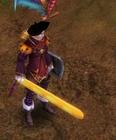
 !
!


