Yes, also make sure to use the triangulate setting (in export settings, but you could also do it while editing (mesh > triangulate or something). Export it again and it should work All silkroad models are built up out of triangles, but you are using quads (squares in non-3d language) too.
if you would make one that is ableto create new mobs and so on it would be awesome
You can edit mobs with the new one, to make completely new mobs you would have to change the skeleton and animations too. I know how the files work, I just cant find a way to get them into blender or 3ds max
hey perrytje what hapen with converter i try combined armor sa ou other , the converter bug always :s , or same original item always bug :s , weapon and otehr ok is good but srobj :s :s , or maybe i miss one thing or a step
ps : srry fr my english
I've tried importing,editing and exporting a piece of armor in blender, and it works fine for me. Make sure you are in object mode and you have the model selected. Also you should probably go with one piece of armor at a time for now, it might bug up if you load multiple into blender at once. If it still doesnt work just send me the .blend file as I've said a couple of times before instead of crying 'IT DOESNT WORK HALP', I hope you guys understand I can't do anything with such posts.
Could anyone make a mangyang or any mob into pink with this? I can't seem to find any pink mobs mods for SRO. I tried messing around with this, but franky I have no experience with any 3D modeling programs. Perhaps one could even turn the mangyang into a cube or a square. A pink one. Really easy for bots to pick out.
Could anyone make a mangyang or any mob into pink with this? I can't seem to find any pink mobs mods for SRO. I tried messing around with this, but franky I have no experience with any 3D modeling programs. Perhaps one could even turn the mangyang into a cube or a square. A pink one. Really easy for bots to pick out.
you don't even need this to change a mob's color. you just have to edit the .ddj file with photoshop and that's it
I said I wouldnt answer anymore stupid questions, and I'm pretty sure this is one . I'm not entirely sure though because I have no idea what you're trying to say. Read the guide and other posts and just THINK.
I said I wouldnt answer anymore stupid questions, and I'm pretty sure this is one . I'm not entirely sure though because I have no idea what you're trying to say. Read the guide and other posts and just THINK.
Future questions in English please.
already posted by English but maybe u didn't understand .
[Tool] EDF converter 12/11/2012 - RFO Hacks, Bots, Cheats, Exploits & Guides - 26 Replies Here is the Item edf Converter. I looked on the site to find it and still couldn't find it.
After about 3 hours of looking (google didnt even show up with it lol) I found it and thought i would post it here for you guys to use.
BTW im not A leecher If i PM you I Just lost the PW to the email on my other account and the account password look it up name is Dro in member list.
*********
Edit
*********
[TooL] AgBot Script Converter 09/08/2012 - SRO Hacks, Bots, Cheats & Exploits - 34 Replies Hey E*PvP members.
Here is a litle tool me and hussert ware working on.
AgBot Script Converter
Current Version 1.00
Screenshot:
http://img126.imageshack.us/img126/7180/logonp1.pn g
Functions:
SIlkroad Model Converter + View Sample [C#] 11/26/2010 - SRO Coding Corner - 13 Replies I am finished with my C# BMS Converter:
class BMSConverter
{
int charCount;
int vertCount;
int boneCount;
int faceCount;
string mtlLib;
string meshGroup;
[TOOL] dxtbmpx -dds converter 03/26/2009 - CO2 Private Server - 0 Replies dxtbmp
I found a tool for converting dds files in normal grafic files and back.
But i don´t know if this here is the right forum part
How to use it?
I.install the programm
II. open the programm
Converting dds to bmp
III. press "File" and then "open" and chose the dds file that you want to convert






![[PK2 TOOL] BMS Model converter](https://www.elitepvpers.com/forum/iconimages/sro-coding-corner/pk2-tool-bms-model-converter_ltr.gif)


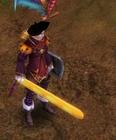

 All silkroad models are built up out of triangles, but you are using quads (squares in non-3d language) too.