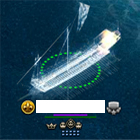
After i got a idea a few days ago which i could finish to change the design visual with 's help.Thereby i got the idea to make a program to use every Design(Ship-Design and NPC-Design) which is avaivable in seafight.
Important:
The Designs are only visual and you will not get the Design or their advantages. Only you can see the Design!
So its perfect to use it with an old design without loosing any advantages of your actual Design or rare Designs such as the *Unique*-Design , Rainbow-Design or the Ice-Pearl
You will need the following to change the Designs:
My program, which can be found in the attachment
After you downloaded everything start my program and select your current Design. After that you have to choose the design you want to have. Now click on "Change!".
The program will create a new .swf File. In Case you allready modified your Design you will be asked to set up a place for the file manually. Just give it a name and save it anywhere you want. If everythings was right, there will be 2 Paths in the section "Fiddler". These 2 Paths belong in Fiddler as a New Rule. Just open the Autoresponder in Fiddler, make a new Rule and save the first Path in the first and the second Path in the second line of the new Fiddler rule.
Now everything you have to do is deleting your Browsercache(Instructions here) and reload the Map. (A Video)
Nachdem ich demletzt eine Idee bekam, habe ich es dank 's Hilfe geschafft die Designs visuel auf Karte zu ändern. Dadurch bin ich dazu gekommen ein Programm zu schreiben mit dem ihr jedes Design (Schiff-Designs und NPC-Designs) benutzen könnt.
Wichtig:
Die Designs werden nur visuel auf Karte dargestellt! Ihr bekommt weder die ausgewählten Designs, noch die Bonis. Die Designs werden nur von euch gesehen und euer eigentliches Design geht dabei nicht verloren!
Also Perfekt um mit den guten alten Designs rumzufahren ohne die Bonis euerer aktuellen Designs zu verlieren oder seltene Designs wie das *Unique*, Rostperle oder Eisperle Design zu benutzen
Um die Designs zu ändern benötigt ihr:
Mein Programm, welches ihr unten im Anhang findet
Wenn ihr alles habt, startet mein Programm und wählt euer Design aus, welches ihr modifiziert haben wollt. Danach wählt ihr aus der unteren Liste das Design aus, dass ihr haben möchtet. Dann klickt ihr auf "Los!".
Nun wird eine neue ".swf" Datei erstellt. Falls ihr für das ausgewählte Design schon einmal ein Design ausgewählt habt, werdet ihr aufgefordert es manuell zu speichern. Dazu gebt ihr der Datei einfach einen Namen und speichert sie irgendwo. Wenn es kein Fehler gab, erscheinen nun unten links bei "Fiddler" 2 Pfade. Diese müsst ihr in einer neuen Fiddler Regel (Im Autoresponder) eintragen. Der erste Pfad ist für die erste, der zweite für die zweite Zeile der neuen Fiddler Regel. Danach müsst ihr nurnoch Speichern, den Browsercache löschen(Hier eine Anleitung) und die Karte neu laden/mit dem Ausgewählten Design auf Karte gehen. (Ein Video für die Einstellungen gibt es hier)
Will the skin be seen by everyone or just the user?? x
Of course is just for you, the others will see you with the ship you are is impossibel make you walk with a ship at your choice without you have it and other users see it too, if someone do that he could sell that toll for 100€ or more
Exemple: You are walking with dalendris and you active the progam to walk with hellhamer you will see hellhammer on your computer but If I go close to you I will see dalendris, if alex made one progam that change ship for all users to see that is because you are really using that ship and that means that you will save lot a work and you going to have all ships avaiable what is impossibel to do that
Discontinued my projects. 04/07/2009 - Conquer Online 2 - 7 Replies Hey everyone I havn't been able to get on here for a while.
So I just want to say for now my projects are discontinued due to personal reasons, maybe in a couple of months when I get the opportunity and time I'll be back.
Good luck to ya'll and enjoy!









 's help.Thereby i got the idea to make a program to use every Design(Ship-Design and NPC-Design) which is avaivable in seafight.