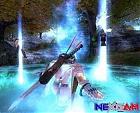
Originally posted by unpulalau@Aug 30 2006, 19:03 Lvl 120 male tao robe.
I still have some work to do on it , but here is a preview:
Put the file in Conquer 2.0/c3/texture and u need to have the white armor in game.
Lets say u have black armor in co (or any other color) and u dont wanna chage it to white just to have my colors on armor, then u just have to change the name of the file before copying it in texture folder. Exemple : u download the file
003139900.dds(white armor in game)-->change to 003139200.dds(black in game)
003139200.dds<---black
003139300.dds<---orange
003139400.dds<---dark blue
003139500.dds<---red
003139600.dds<---light blue
003139700.dds<---kaki (or watever that color is :P )
003139800.dds<---purple
wozzzzzzz nice robe and when thats the beta version lol whats real version then??? must be an graphic wonder ;P
I only can edit high lvl coats but how can i edit low lvl armours coz they are all black only the high lvlarmours are in all colors :hm:
Any help plz ?
And how to edit c3 files i only can edit dds files ?
Originally posted by $mokey+Sep 7 2006, 08:57--></span><table border='0' align='center' width='95%' cellpadding='3' cellspacing='1'><tr><td>QUOTE ($mokey @ Sep 7 2006, 08:57)</td></tr><tr><td id='QUOTE'> <!--QuoteBegin--unpulalau@Aug 30 2006, 19:03 Lvl 120 male tao robe.
I still have some work to do on it , but here is a preview:
Put the file in Conquer 2.0/c3/texture and u need to have the white armor in game.
Lets say u have black armor in co (or any other color) and u dont wanna chage it to white just to have my colors on armor, then u just have to change the name of the file before copying it in texture folder. Exemple : u download the file
003139900.dds(white armor in game)-->change to 003139200.dds(black in game)
003139200.dds<---black
003139300.dds<---orange
003139400.dds<---dark blue
003139500.dds<---red
003139600.dds<---light blue
003139700.dds<---kaki (or watever that color is :P )
003139800.dds<---purple
wozzzzzzz nice robe and when thats the beta version lol whats real version then??? must be an graphic wonder ;P [/b][/quote]
w0000t can u make me a edited blackcoat 120 ?
can sum1 post a backup c3 folder w/o any edits mines got all messed up since i tried to uninstall the full green stuff if u can thanx btw i tried searching c3 nd stuff but still came up with nuthing
Hey, sorry for asking this, but I was wondering if anyone could possibly make a lvl 130 bow file, with the same effect, but a BLACK glow effect instead? The **** effect is givin me a headache when I plvl <.<
I dont mind the arrow effects being white though, but I r want black bow
[img]text2schild.php?smilienummer=1&text=Help a noob out >.<' border='0' alt='Help a noob out >.<' />
lol, when i work out how to do that, ill be more than happy to help out, would a grey one be alright? iono if i can make it totally black and still look cool
Originally posted by fullmetalferret@Sep 15 2006, 00:44 lol, when i work out how to do that, ill be more than happy to help out, would a grey one be alright? iono if i can make it totally black and still look cool
Originally posted by trozz@Sep 16 2006, 04:27 could someone get me the original firesword files (1, 1-1, 2, 2-1) i missplaced the old files
and also the origina whip.club (480139) file. pls and ty
EDIT: just the sword, found the club ty
extract that into your conquer 2.0\c3\effect\ folder
Editing RDU Files 08/21/2010 - Rappelz - 0 Replies Does anyone know how I can edit RDU files? ^^~;
editing csv files 01/13/2009 - Dekaron - 4 Replies I downloaded once from this site a csv editor. I can't find him back.
Someone have a link to it ?
Editing .DDS files 09/15/2006 - CO2 Weapon, Armor, Effects & Interface edits - 10 Replies Requirments:
Adobe Photoshop(Dont have Adobe? PM me for Link ^_^)
.DDS Plugin For Adobe Photoshop(Get Here
---
Assuming you have all these files downloaded and installed lets take a look see.
1)Open Photoshop
2)Click File > Open on the top left screen
3)Navigate to your conquer and search for the desired .dds file
4)Open any .DDS file that you want to Edit ^_^.










 lol
lol

 ty
ty


