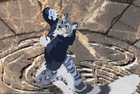
New 3D Login Screen i did it for( Spirited) Server,Show Time,Tutorial.
Discussion on New 3D Login Screen i did it for( Spirited) Server,Show Time,Tutorial. within the CO2 Weapon, Armor, Effects & Interface edits forum part of the CO2 Guides & Templates category.
New 3D Login Screen i did it for( Spirited) Server,Show Time,Tutorial.
Hello Guys..
Today i'll show you my steps about how that project is done.
sorry guys i'm not a good guy in tutorials
first step: i converted the .dat file to .swf flash file and again converted .swf file to .fla
second step: i did some 3D building and some mountains,clouds,trees..etc for environment with the soul of Chinese and Chinese game atmosphere.
third step: i choose Ninja Character then i converted .c3 file to .3ds for 3D MAX and then .fbx file for Cinema 4D to be easy with editable,and some bones for animation.
four step: and i put some sun lights and choosing the camera position, when i'm done all of this,then it's time to render the final animation images.
five step:it's Photoshop turn for some effect,logo,UI interface...etc.
six step: when all of these things is done then Adobe Flash turn,i inserted all what i did in it,and then publishing time.
My ***, this is amazing!
Thank you very much, I never expected the amount of work you put into this. I absolutely love it and will definitely be using this on my server with your permission.
My ***, this is amazing!
Thank you very much, I never expected the amount of work you put into this. I absolutely love it and will definitely be using this on my server with your permission.
Thanks Brother,
i'll send to you the lock file but first i need your game website, i put your blog link but it's almost be the game website.
My ***, this is amazing!
Thank you very much, I never expected the amount of work you put into this. I absolutely love it and will definitely be using this on my server with your permission.
F*cking awesome, maybe remove the Real CO image, (if you don't know where), it's on the data->main->flash->logo.swf, By the way, gimme some of your skill xD
F*cking awesome, maybe remove the Real CO image, (if you don't know where), it's on the data->main->flash->logo.swf, By the way, gimme some of your skill xD
You have to be the best artist in the community right now. I really hope you start creating paid services for people to take advantage of - you really deserve some payment for your amazing work. Try advertising your services here: (specify what you charge for each type of service).
You have to be the best artist in the community right now. I really hope you start creating paid services for people to take advantage of - you really deserve some payment for your amazing work. Try advertising your services here: (specify what you charge for each type of service).
Thanks Spirited,it's honor to me hearing these words.
[Tutorial] Change the login screen logo / Logo ändern 05/29/2013 - WoW Private Server - 1 Replies Today ima be showing you how to change the login screen logo. The one on the top left. I only tried this on 3.5.5a, not sure if it works for any higher patch. So let's start!
Files
Files that you'll be needing for this tutorial:
BLP Converter
MPQ Editor
Required file/patch-s.mpq
Note: You will also need editing program such as Photoshop, paint.net .etc.
Revolution - The new era (Server Screen und Login screen) Version:1.0 08/14/2010 - CrossFire - 12 Replies Hey Epvpers!
Ich möchte euch hier nen MOD zum Downloaden zeigen.(Der ist echt geil!>.<)
Diese MOD´s sind nicht von mir die habe ich von einer seite kopiert,wenn ihr die seite haben möchtet dann pn mich.
Server Screen:
http://modbase.antaria.eu/images/jdownloads/scree nshots/sneaky.png
Login Screen:
http://modbase.antaria.eu/images/jdownloads/scree nshots/lucaaat_111.png







 New 3D Login Screen i did it for( Spirited) Server,Show Time,Tutorial.


 then Adobe Flash turn,i inserted all what i did in it,and then publishing time.