Register for your free account! | Forgot your password?

Go Back   elitepvpers > MMORPGs > Conquer Online 2 > CO2 Guides & Templates
You last visited: Today at 12:01

  • Please register to post and access all features, it's quick, easy and FREE!

Advertisement


[Guide] How to make edits

Discussion on [Guide] How to make edits within the CO2 Guides & Templates forum part of the Conquer Online 2 category.

Reply
 
Old   #1
 
glupkotrup's Avatar
 
elite*gold: 0
Join Date: May 2007
Posts: 1,195
Received Thanks: 457
[Guide] How to make edits

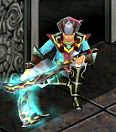
80% of the players want to have edits in their client but don't know how to make them by themselves... That's why I made this guide so you can make your own unique edit!

By following this guide you are just 5 minutes away from your unique edits collection

1. Download Photoshop CS2/CS3 from any site...

2. After that you'll need a Photoshop Plug In so you can open DDS files.
Here is the link for it: . Download and install it.

3. Also you can download the DDS Thumbnail viewer (not necessary) from this link: . Install that too.

4. After installing to see if everything is working fine open Photoshop, and press "Ctrl + O" or go to "File -> Open". Then search for the 2nd rb vigor (That's the simplest edit) in C:/Program Files/Conquer 2.0/c3/effect/2ND Metempsychosis and open the file named 1.dds.
When you open it it should look like this:



5. So I think you would like to change it, so press "Ctrl + U" or go to "Image -> Adjustments -> Hue/Saturation". After clicking on it or pressing the buttons you should see something like this:


Then click the "Colorize button" in the bottom right corner on the "Hue/Saturation" box. The just move the first and the second line to your will until you get the desired color.


When you are done just click ok. And preview your work. If you don't like it press "Ctrl + U" again and adjust the color. If you like it just go to "File -> Save/Save As" and select the file named 1.dds again.

If you have any problems or questions please post them here.

I hope it helped you!

P.S. Sorry for the low quality pictures but the other ones were to big so it would take some time to load, but I think these one are good

If anyone needs some plug in post your request here and I'll try make one or find one.
glupkotrup is offline  
Thanks
44 Users
Old 09/20/2008, 16:10   #2
 
~*NewDuuDe*~'s Avatar
 
elite*gold: 111
Join Date: Feb 2008
Posts: 2,161
Received Thanks: 646
erm u might wanna remove tht crack **** or u might be banned

And u might wanna make some more changes cause it looks just like the one on cofuture, or the one evanxxx made
~*NewDuuDe*~ is offline  
Thanks
2 Users
Old 09/20/2008, 16:58   #3
 
glupkotrup's Avatar
 
elite*gold: 0
Join Date: May 2007
Posts: 1,195
Received Thanks: 457
O.o really? I never saw or joined CoFusion and please can u send me a link to evanxxx's post?
Anyways thanks for reminding... And I'll see what I can do about changing...

Edit: I searched for the threads started by evanxxx and I found nothing similar or even connected to making edits
glupkotrup is offline  
Thanks
3 Users
Old 09/23/2008, 16:44   #4
 
elite*gold: 0
Join Date: Sep 2008
Posts: 694
Received Thanks: 207
..
there's is already such a thread on here,
i'll search it..

# Here it is, it's from a banned guy named (x.X)

DragonHeart is offline  
Thanks
2 Users
Old 09/24/2008, 04:44   #5
 
elite*gold: 0
Join Date: Jul 2008
Posts: 14
Received Thanks: 1
I thought it was a great guide, Unlike the last guy... "COPY PASTE OLD TEXTURE AND YOU DUN MEN!!! THERE HAVE YOU. OWN TEXTURE EDIT MEN."

Even if it was already posted before, It's a good refresher, so thank you.
sananya666 is offline  
Thanks
1 User
Old 09/24/2008, 07:34   #6
 
elite*gold: 0
Join Date: Sep 2008
Posts: 694
Received Thanks: 207
hehe sananya666
i'm not saying that it's good to refresh such post
just pointing out that there's another thread of something similar
DragonHeart is offline  
Old 09/24/2008, 13:54   #7
 
glupkotrup's Avatar
 
elite*gold: 0
Join Date: May 2007
Posts: 1,195
Received Thanks: 457
Quote:
Originally Posted by sananya666 View Post
I thought it was a great guide, Unlike the last guy... "COPY PASTE OLD TEXTURE AND YOU DUN MEN!!! THERE HAVE YOU. OWN TEXTURE EDIT MEN."

Even if it was already posted before, It's a good refresher, so thank you.
No probs...

And to everyone: Sorry for making thread that already existed but alltho (x.X) is banned (don't know why) so I doubt anyone will look at his post...

All, thanks for the feedback and if you need any photoshop tutorials PM me and I'll make a vid on you tube or write it here
glupkotrup is offline  
Old 10/11/2008, 09:14   #8
 
kiwi8's Avatar
 
elite*gold: 0
Join Date: Jul 2007
Posts: 24
Received Thanks: 2
Hay thanks it was useful ! I did have the Photoshop already, but had no idea how can I use it for editing the Conquer items
kiwi8 is offline  
Old 10/13/2008, 14:19   #9
 
glupkotrup's Avatar
 
elite*gold: 0
Join Date: May 2007
Posts: 1,195
Received Thanks: 457
Hehe... I'm glad you liked it...
glupkotrup is offline  
Thanks
2 Users
Old 10/16/2008, 06:41   #10
 
elite*gold: 0
Join Date: Dec 2007
Posts: 1
Received Thanks: 0
I got a question

1. where is the super edit for weapons

2.wherer are the weapon files ? all i got is the 115 blade and thats it
WaTaFa is offline  
Old 10/20/2008, 17:24   #11
 
glupkotrup's Avatar
 
elite*gold: 0
Join Date: May 2007
Posts: 1,195
Received Thanks: 457
I'm not playing conquer anymore... Sorry
glupkotrup is offline  
Old 10/23/2008, 17:50   #12
 
McSquizzy's Avatar
 
elite*gold: 0
Join Date: Oct 2008
Posts: 73
Received Thanks: 9
Quote:
Originally Posted by WaTaFa View Post
I got a question

1. where is the super edit for weapons

2.wherer are the weapon files ? all i got is the 115 blade and thats it


here is a toolbox with, all wep names and armors etc, with builds for the armors big small big female small female etc etc, have fun
McSquizzy is offline  
Thanks
1 User
Old 10/23/2008, 18:44   #13
 
glupkotrup's Avatar
 
elite*gold: 0
Join Date: May 2007
Posts: 1,195
Received Thanks: 457
Nice program... But if you look closer in deep scan you'll find a RUNDLL deleter lol
glupkotrup is offline  
Old 10/26/2008, 07:28   #14
 
elite*gold: 0
Join Date: Jan 2008
Posts: 14
Received Thanks: 2
Dude still thanks for doing it. i didnt see the other one cuz i dont look at the other posts much. but thanks for the refresher
ebayasdell is offline  
Old 10/26/2008, 09:55   #15
 
glupkotrup's Avatar
 
elite*gold: 0
Join Date: May 2007
Posts: 1,195
Received Thanks: 457
No probs... And if (but only if) i start playing co again I'll release more than 100 edits...
glupkotrup is offline  
Reply


Similar Threads Similar Threads
[GUIDE]How to make your very OWN edits!!
01/09/2020 - CO2 Weapon, Armor, Effects & Interface edits - 59 Replies
I don't know if this is the right section or not, but whatever, sorry. I guess if you are reading this you want to learn how to make your own edits! First of all, you will need a few things to get started: Adobe Photoshop Cs2/Cs3/Cs4 ~ Adobe Downloads Section .dds Photoshop Plug-in ~ Plugin for .dds files .dds Thumbnail Viewer ~ Thumbnail Viewer for .dds files WDF Extractor ~ WDF Extractor w/ Instructions c3 Effect and Texture Names ~ List of c3 Effect and Texture Files
[Guide] How to make Edits (With PS)
03/09/2011 - CO2 Guides & Templates - 48 Replies
Making edits in photoshop is very simple. I'm here to show you how. I also took some ideas from glupkotrup's guide. Which you can find Here Thinks You Need: Photoshop DDS Viewer DDS Thumbnail Viewer(You don't need but its Helpful) What to do:
[Guide] Make your own edits
09/17/2009 - EO Weapon, Armor, Effects & Interface edits - 13 Replies
:rolleyes:Here a guide how to make your own custom edits for the game. Photoshop CS3: No Warez Allowed Alternate Photoshop: No Warez Allowed nVidia DDS Plugin: Plugin Alternate Plugin: Link


All times are GMT +1. The time now is 12:03.


Powered by vBulletin®
Copyright ©2000 - 2025, Jelsoft Enterprises Ltd.
SEO by vBSEO ©2011, Crawlability, Inc.
This site is protected by reCAPTCHA and the Google Privacy Policy and Terms of Service apply.

Support | Contact Us | FAQ | Advertising | Privacy Policy | Terms of Service | Abuse
Copyright ©2025 elitepvpers All Rights Reserved.