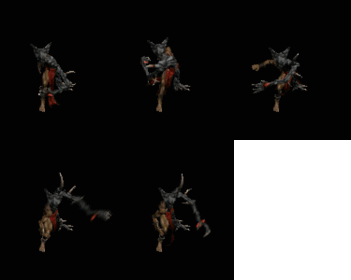
ich arbeite grad an einem neuem projekt und arbeite zum ersten mal mit imagesearch. klappt auch soweit so gut,aber nun möchte ich ein random mousemove machen.
also normalerweise hat man ya
Code:
#include<ImageSearch.au3>

While 1
	$X1 = 0
	$Y1 = 0

	WinActivate('Diablo III')
	$TImage = _ImageSearch("Test.png" ,1,$X1,$Y1,0)
	If $TImage = True Then
		MouseMove($X1,$Y1)
	EndIf
WEnd
Nun bewegt sich die maus immer wieder an den selben punkt,aber ich möchte das er auf eine Random Coordinate raufgeht..diese random coordinate sollte sich aber schon auf dem Image befinden.
ähm imagesearch funzt net :-( da steht immer in der autoitconsole dass in der zeile 40 von der include ein fehler ist undzwar dass $blablabla[0] kein Array ist! hab versucht zu lösen. versuche weiter aber wenn wer ein fertigscript hat welches workt pls mal zeigen!
Mfg die0unddie1
#include-once
; ------------------------------------------------------------------------------
;
; AutoIt Version: 3.0
; Language:       English
; Description:    Functions that assist with Image Search
;                 Require that the ImageSearchDLL.dll be loadable
;
; ------------------------------------------------------------------------------

;===============================================================================
;
; Description:      Find the position of an image on the desktop
; Syntax:           _ImageSearchArea, _ImageSearch
; Parameter(s):
;                   $findImage - the image to locate on the desktop
;                   $tolerance - 0 for no tolerance (0-255). Needed when colors of
;                                image differ from desktop. e.g GIF
;                   $resultPosition - Set where the returned x,y location of the image is.
;                                     1 for centre of image, 0 for top left of image
;                   $x $y - Return the x and y location of the image
;
; Return Value(s):  On Success - Returns 1
;                   On Failure - Returns 0
;
; Note: Use _ImageSearch to search the entire desktop, _ImageSearchArea to specify
;       a desktop region to search
;
;===============================================================================
Func _ImageSearch($findImage,$resultPosition,ByRef $x, ByRef $y,$tolerance)
   return _ImageSearchArea($findImage,$resultPosition,0,0,@DesktopWidth,@DesktopHeight,$x,$y,$tolerance)
EndFunc

Func _ImageSearchArea($findImage,$resultPosition,$x1,$y1,$right,$bottom,ByRef $x, ByRef $y, $tolerance)
	;MsgBox(0,"asd","" & $x1 & " " & $y1 & " " & $right & " " & $bottom)
	if $tolerance>0 then $findImage = "*" & $tolerance & " " & $findImage
	$result = DllCall("ImageSearchDLL.dll","str","ImageSearch","int",$x1,"int",$y1,"int",$right,"int",$bottom,"str",$findImage)

	; If error exit
    if $result[0]="0" then return 0

	; Otherwise get the x,y location of the match and the size of the image to
	; compute the centre of search
	$array = StringSplit($result[0],"|")

   $x=Int(Number($array[2]))
   $y=Int(Number($array[3]))
   if $resultPosition=1 then
      $x=$x + Int(Number($array[4])/2)
      $y=$y + Int(Number($array[5])/2)
   endif
   return 1
EndFunc

;===============================================================================
;
; Description:      Wait for a specified number of seconds for an image to appear
;
; Syntax:           _WaitForImageSearch, _WaitForImagesSearch
; Parameter(s):
;					$waitSecs  - seconds to try and find the image
;                   $findImage - the image to locate on the desktop
;                   $tolerance - 0 for no tolerance (0-255). Needed when colors of
;                                image differ from desktop. e.g GIF
;                   $resultPosition - Set where the returned x,y location of the image is.
;                                     1 for centre of image, 0 for top left of image
;                   $x $y - Return the x and y location of the image
;
; Return Value(s):  On Success - Returns 1
;                   On Failure - Returns 0
;
;
;===============================================================================
Func _WaitForImageSearch($findImage,$waitSecs,$resultPosition,ByRef $x, ByRef $y,$tolerance)
	$waitSecs = $waitSecs * 1000
	$startTime=TimerInit()
	While TimerDiff($startTime) < $waitSecs
		sleep(100)
		$result=_ImageSearch($findImage,$resultPosition,$x, $y,$tolerance)
		if $result > 0 Then
			return 1
		EndIf
	WEnd
	return 0
EndFunc

;===============================================================================
;
; Description:      Wait for a specified number of seconds for any of a set of
;                   images to appear
;
; Syntax:           _WaitForImagesSearch
; Parameter(s):
;					$waitSecs  - seconds to try and find the image
;                   $findImage - the ARRAY of images to locate on the desktop
;                              - ARRAY[0] is set to the number of images to loop through
;								 ARRAY[1] is the first image
;                   $tolerance - 0 for no tolerance (0-255). Needed when colors of
;                                image differ from desktop. e.g GIF
;                   $resultPosition - Set where the returned x,y location of the image is.
;                                     1 for centre of image, 0 for top left of image
;                   $x $y - Return the x and y location of the image
;
; Return Value(s):  On Success - Returns the index of the successful find
;                   On Failure - Returns 0
;
;
;===============================================================================
Func _WaitForImagesSearch($findImage,$waitSecs,$resultPosition,ByRef $x, ByRef $y,$tolerance)
	$waitSecs = $waitSecs * 1000
	$startTime=TimerInit()
	While TimerDiff($startTime) < $waitSecs
		for $i = 1 to $findImage[0]
		    sleep(100)
		    $result=_ImageSearch($findImage[$i],$resultPosition,$x, $y,$tolerance)
		    if $result > 0 Then
			    return $i
		    EndIf
		Next
	WEnd
	return 0
EndFunc
[Help] ImageSearch 06/23/2012 - AutoIt - 0 Replies Tag zusammen,
Ich habe eine Problem. Und zwar bei MonsterWorld ( Facebook Game )
Läuft Soweit auch ganz gut.
Er findet die Flaschen und Pflanzt sie.
Dann erntet er sie nach 2 Minuten ab. Bis hier hin läufts!
Nun soll er nach ein freien Feld suchen und wenn er ein gefunden hat sich wieder die Flaschen nehmen und sie Pflanzen.
Tut er aber nicht er switcht einfach zwischen den freien Feldern hin und her.
Code habe ich mal gepostet. Hoffe mir kann jemand helfen.
[VB]ImageSearch 10/08/2011 - .NET Languages - 0 Replies Hi.
Wie mache ich in visual basic ImageSearch?
Bei Autoit ist es ja leicht:
#include <imageSearch.au3>
$x = 0
$y = 0
imagesearch 06/05/2011 - AutoIt - 4 Replies Hallo,
ich arbeite gerade mit imagesearch...
Wenn er ein Bild gefunden hat, dann geht er ja immer in die linke obere ecke davon. Jetzt möchte ich aber das er von der oberen linken ecke, von dem gefundenen Bild, etwas nach rechts und etwas nach unten klickt, wie geht das?
ImageSearch 02/13/2011 - AutoIt - 1 Replies Hey Leute,
bei AutoIT gibt es ja
_ImageSearchArea gibt es auch _ImagesSearchArea
Also Area mit mehreren Bildern???
ImageSearch? 01/11/2010 - AutoIt - 4 Replies Hey,
kann einer von euch, einfach für einen Anfänger erklären, wie man mit Autoit die Funktion "ImageSearch" benutzt?
Thx für eure Antworten!






![[au.3] imagesearch](https://www.elitepvpers.com/forum/iconimages/autoit/au-3-imagesearch_ltr.gif)