ARCANE ESP FOR WAR THUNDER
TANK ESP • AIRCRAFT ESP • MODULE & CREW GLOW
An ESP-focused solution providing detailed tank and aircraft information, customizable visual styles and individual highlighting for vehicle modules and crew members.
INSTANT DELIVERY • STEP-BY-STEP SETUP GUIDE • CUSTOMER SUPPORT
VIEW ARCANE ESP FOR WAR THUNDER
BROWSE ALL WAR THUNDER PRODUCTS
PRODUCT OVERVIEW
Arcane ESP for War Thunder is focused on battlefield information for both ground and air combat. It combines Tank ESP, Aircraft ESP, team and bot filters, a static crosshair and detailed highlighting for internal vehicle modules and crew members.
Configure boxes, corner markers, gradients, target lines and maximum rendering distances while displaying vehicle names, player names and distance information.
ESP-FOCUSED VERSION:
This listing is for the ESP-focused version of Arcane. The described feature set does not include an Aimbot.
Main features:
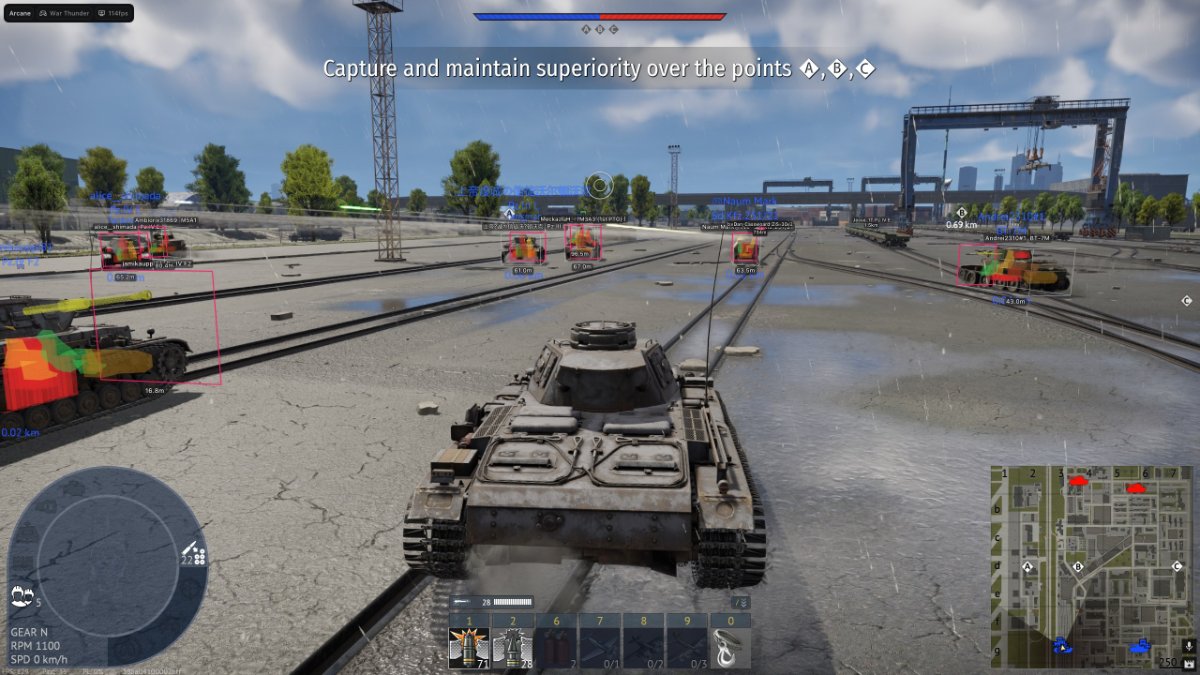
- Tank ESP with boxes, names, distances and team filters
- Aircraft ESP with separate box and target-outline settings
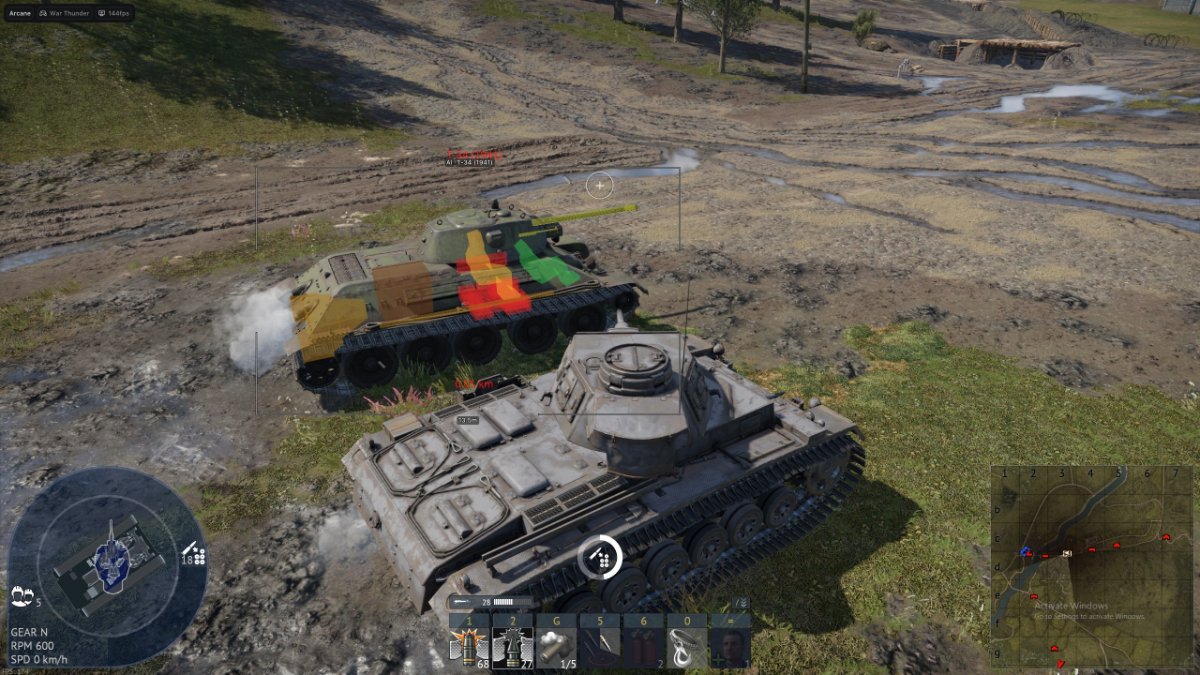
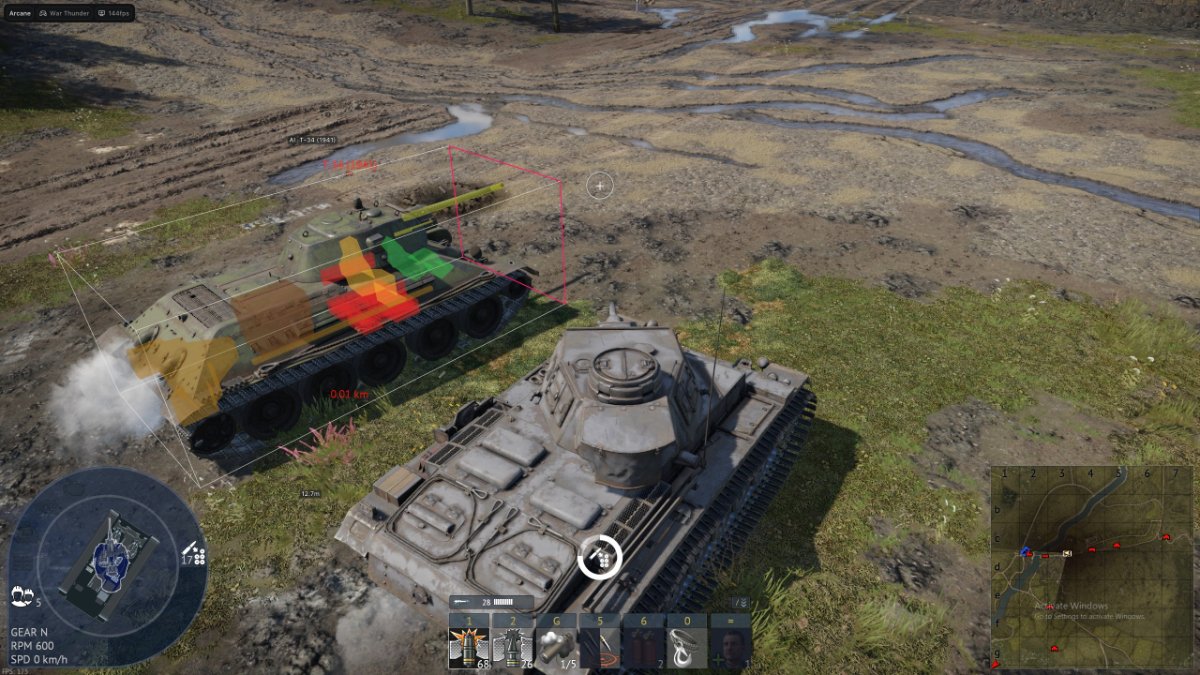
- Module Glow for important internal vehicle components
- Crew Glow for Commander, Loader and Driver
- Bot and Teammate Filters for both ground and air targets
- Custom Crosshair for additional aiming information
- Shared Configuration System with unique configuration keys
- Multilingual Interface with two visual themes
TANK ESP
Display detailed information about ground vehicles and customize the appearance of every visual element.
- Bounding Box — select complete Box or Corner Box style
- Filled Box — select a Static or Gradient box background
- Line to Enemy — draw directional lines to enemy vehicles
- Name — display player names
- Distance — display the distance to each target
- Vehicle Name — display the ground vehicle model
- Draw Bots — include bot-controlled vehicles in Tank ESP
- Draw Teammates — include friendly vehicles in Tank ESP
- Max Distance — configure the maximum Tank ESP range
MODULE & CREW GLOW
Highlight individual vehicle components and crew positions for more detailed battlefield information.
VEHICLE COMPONENTS
- Turret — highlight the vehicle turret
- Body — highlight the vehicle body or hull
- Transmission — highlight the transmission
- Fuel — highlight fuel tanks
- Engine — highlight the engine
- Ammunition — highlight ammunition storage
- Weapon — highlight the main weapon system
CREW MEMBERS
- Commander — highlight the Commander
- Loader — highlight the Loader
- Driver — highlight the Driver
AIRCRAFT ESP
Track aircraft, identify vehicle models and distinguish between enemy, friendly and bot-controlled targets.
- Bounding Box — select complete Box or Corner Box style
- Target Outline — select Box or Corner outline style
- Filled Box — select a Static or Gradient box background
- Line to Enemy — draw directional lines to enemy aircraft
- Name — display player names
- Distance — display the distance to each aircraft
- Vehicle Name — display the aircraft model
- Draw Bots — include bot-controlled aircraft in Plane ESP
- Draw Teammates — include friendly aircraft in Plane ESP
- Max Distance — configure the maximum Aircraft ESP range
CUSTOM CROSSHAIR
- Crosshair — display an additional static crosshair in the center of the screen
INTERFACE & SETTINGS
Customize the controls, appearance and scale of the Arcane interface.
- Menu Keybind — assign a custom key for opening the menu
- Unload Keybind — assign a key for completely unloading the software
- DPI Scale — adjust the size of the interface and visual components
- VSync — enable vertical synchronization
- Theme — select Murky or Sunny interface theme
- Watermark — display or hide the Arcane watermark
- Language — select English, Russian or Chinese
CONFIGURATION SYSTEM
Create, save, import and share separate profiles for ground vehicles, aircraft and visual settings.
- Create — create a new settings profile
- Get Shared — load a friend's configuration using a unique key
- Launch — apply the selected configuration
- Save — save the current settings
- Edit Name — rename the selected configuration
- Share — generate access for sharing a configuration
- Remove — delete the selected configuration
SYSTEM REQUIREMENTS
- Supported Game Versions: Steam and Gaijin
- Supported Display Modes: Windowed and Fullscreen
- Supported Operating Systems: Windows 10 and Windows 11 x64
- Supported Windows Versions: 2004, 20H2, 21H1, 21H2, 22H2 and 23H2
- Supported Anti-Cheat: BattlEye
- Supported Processors: Intel and AMD
- Hidden from Videos or Screenshots: No
RECORDING AND STREAMING NOTICE:
Arcane visuals are not hidden from videos, screenshots or screen sharing. Disable the overlay before recording or streaming if you do not want ESP elements or the menu to appear.
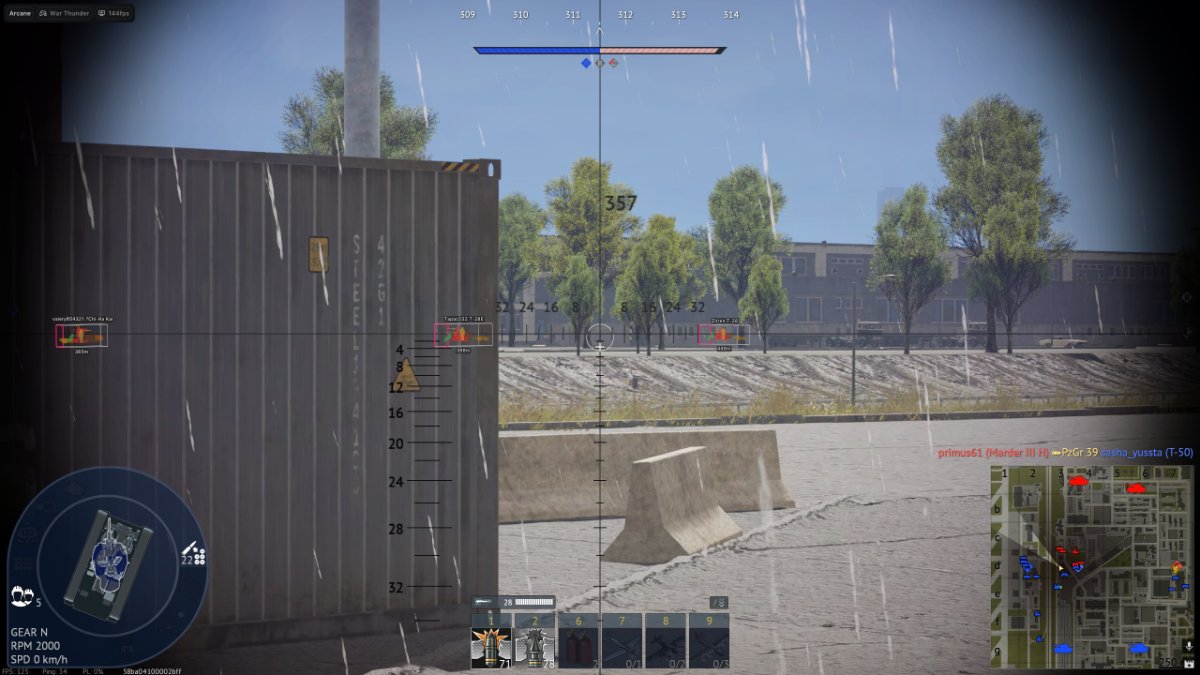
PRODUCT SCREENSHOTS
Open the spoiler below to view Arcane ESP in War Thunder.
PURCHASE & DELIVERY
- Open the Arcane ESP for War Thunder product page
- Check the current product status, compatibility and system requirements
- Select the license period that fits your needs
- Complete the checkout using a valid email address
- Receive your license information automatically after payment
- Follow the included installation and activation guide
You can also view other available products in the
War Thunder product catalog.
WHY CHOOSE SHOPHACKGAMES?
- Automatic digital delivery immediately after payment
- Detailed and easy-to-follow setup instructions
- Assistance with activation and initial configuration
- Customer support after purchase
- Multiple license periods for different needs
- Current product status displayed on the website
- Clear compatibility and system requirement information
Before purchasing, always check the current product status, supported game version, available license periods and system requirements on the product page.
IMPORTANT INFORMATION
Quote:
This listing is for the ESP-focused version of Arcane. Review the complete feature list before purchasing to ensure it includes the functionality you need.
Third-party software may result in restrictions or permanent penalties being applied to your game account. No product can eliminate this risk completely. Do not use Arcane ESP on an account you are not prepared to lose.
Activated or automatically delivered digital license keys cannot be withdrawn. Review the product description, status, compatibility and purchase terms before completing your order.
|










 New cheat for War Thunder – Wallhack and ESP