Quote:
Originally Posted by speedy-nl

game.server_screenshot_url: 
replace the ip and the url to yours
sample http:// ??.??.??.??/gavsta/tinypic.com |
Let me expand up Speedy vague explination:
1. Delete Authserver.eop
2. Open Authserver.opt
3. Add S game.server_screenshot_url:
local or hamachi ip/game/index.html
Which means you actually need to be running a webserver with a Index.html inside of the GAME directory
A sample is:
Code:
<body bgcolor="#000000"><img src="http://www.elitepvpers.com/forum/images/YOUR PICTURE NAME HERE.png" alt="Logo"></body>
save that as "Index.html" inside of the "GAME" folder which you will mostly likely have to create inside your Webserver "ROOT" folder
Coincidentally you will have to add a "Images" folder inside of the "Game" folder and place whatever picture you wish to display there. Make sure the filename in the "Index.html" matches your pictures filename inside of "Images"
save Authserver.opt
open rappelzcompress.exe
drag authserver.opt ontop of it and click ok
start server






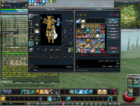

 how to add Picture When start server
 !
! 


