ARCANE ESP FOR PUBG
PLAYER ESP • ITEM ESP • VEHICLES • AIRDROPS & CRATES
An ESP-focused solution providing detailed player information, customizable loot filters, vehicle highlighting and extensive crate display settings.
INSTANT DELIVERY • STEP-BY-STEP SETUP GUIDE • CUSTOMER SUPPORT
VIEW ARCANE ESP FOR PUBG
BROWSE ALL PUBG PRODUCTS
PRODUCT OVERVIEW
Arcane ESP for PUBG is focused on visual information and battlefield awareness. It combines detailed Player ESP, customizable item filters, vehicle highlighting, airdrop and death-crate information, off-screen arrows and a flexible interface configuration system.
Track player health, equipment, kills, team information and spectator count while filtering displayed weapons, armor, medical supplies, ammunition, attachments and other important items.
ESP-FOCUSED VERSION:
This listing is for the ESP-focused version of Arcane. The feature set described below does not include an Aimbot.
Main features:
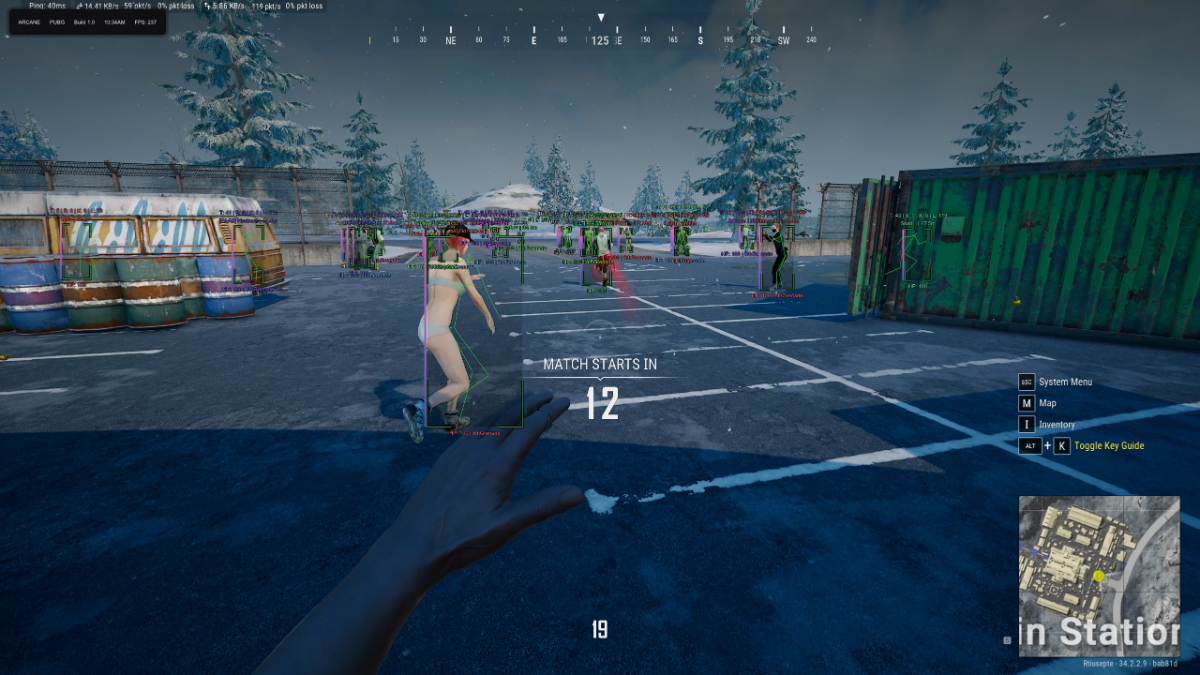
- Detailed Player ESP with health, equipment, team and combat information
- Item ESP with separate filters for weapons, armor, ammunition and supplies
- Vehicle ESP for land, water and air vehicles
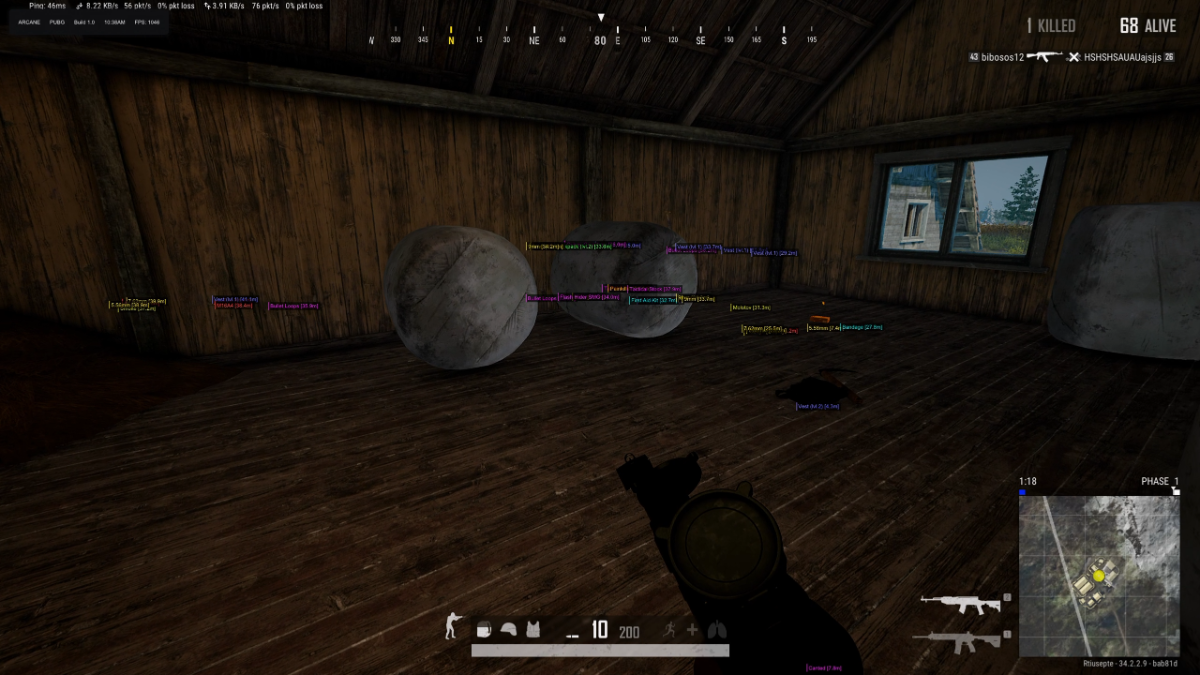
- Airdrop and Death-Crate ESP with item-content display
- Battle Mode for a cleaner combat-focused visual layout
- Off-Screen Arrows and a static center-screen crosshair
- Custom Interface Settings with themes, languages and configuration profiles
PLAYER ESP
Display detailed information about nearby players and customize the appearance of every visual component.
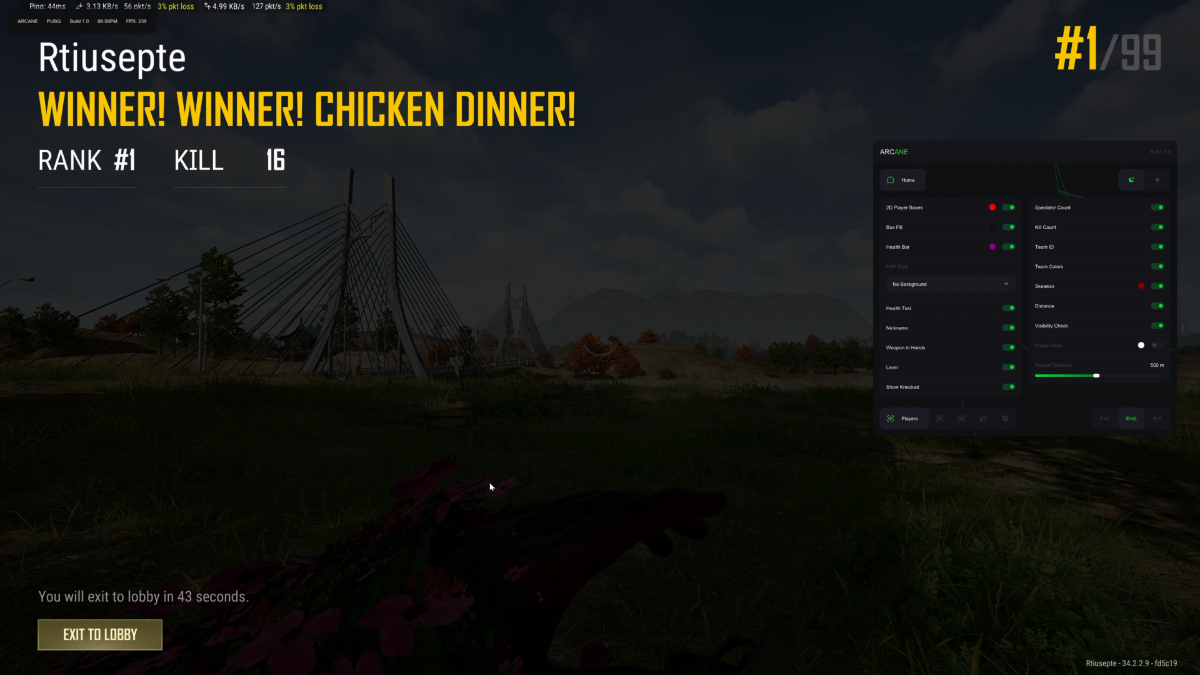
- 2D Player Box — display 2D boxes around players
- Box Fill — fill displayed player boxes with color
- Health Bar — display player health bars
- ESP Style — select the preferred visual display style
- Health Text — display the exact amount of player health
- Nickname — display player nicknames
- Weapon in Hands — display the weapon currently held by a player
- Level — display player levels
- Show Knocked — display knocked players
- Spectator Count — display the number of players currently spectating
- Kill Count — display the number of player kills
- Team ID — display the player team number
- Team Colors — use different colors for each team
- Skeleton — display player skeletons
- Visibility Check — change visual information based on player visibility
- Player Lines — draw directional lines to players
- Render Distance — configure the maximum Player ESP range
ITEM ESP
Locate important weapons, equipment and supplies while controlling how much information appears during combat.
- Show Distance — display the distance to highlighted items
- Battle Mode — enable a simplified combat-focused display mode
- Render Distance — configure the maximum Item ESP range
ITEM CATEGORIES
Enable only the item categories you need or display every supported loot type.
- Assault Rifles — display assault rifles
- Marksman Rifles — display designated marksman rifles
- Submachine Guns — display submachine guns
- Light Machine Guns — display light machine guns
- Sniper Rifles — display sniper rifles
- Shotguns — display shotguns
- Pistols — display pistols
- Melee — display melee weapons
- Helmets — display helmets
- Vests — display protective vests
- Backpacks — display backpacks
- Medkits — display medical supplies
- Boosters — display energy drinks and other boosters
- Ammo — display ammunition
- Throwables — display grenades and other throwables
- Attachments — display weapon attachments
- Miscellaneous — display all other supported items
VEHICLE ESP
Locate different vehicle types and configure the maximum display distance.
- Show Distance — display the distance to vehicles
- Show Land Vehicles — display cars, motorcycles and other land vehicles
- Show Water Vehicles — display boats and other water vehicles
- Show Air Vehicles — display available air vehicles
- Render Distance — configure the maximum Vehicle ESP range
AIRDROPS & DEATH CRATES
Display supply drops, player death crates and the items stored inside them.
- Show Airdrops — display airdrop crates
- Show Death Crates — display defeated-player loot crates
- Show Drop Contents — display items stored inside highlighted crates
- Show All Items — display every item inside the selected crate
- Style — display crate contents permanently or only while hovering
- Render Distance — configure the maximum crate display range
MISCELLANEOUS FEATURES
- Crosshair — display a static center-screen crosshair
- Spectator Count — display the current number of spectators
- Off-Screen Arrows — display directional indicators for players outside your current view
INTERFACE & SETTINGS
Customize the appearance, scale and performance of the Arcane interface.
- Enable Particles — enable animated particles in the menu background
- Accent Color — select the primary interface color
- Theme — switch between Light and Dark themes
- Language — select Russian, English or Chinese
- VSync — enable vertical synchronization
- Show FPS — display the software overlay frame rate, not the game FPS
- DPI Scale — adjust the size of the menu and visual components
- Watermark Position — select the preferred watermark position
- Notification Position — select where software notifications appear
- Config System — save and manage custom settings profiles
PRODUCT SCREENSHOTS
Open the spoiler below to view the Arcane ESP interface and available settings.
PURCHASE & DELIVERY
- Open the Arcane ESP for PUBG product page
- Check the current product status, compatibility and system requirements
- Select the license period that fits your needs
- Complete the checkout using a valid email address
- Receive your license information automatically after payment
- Follow the included installation and activation guide
You can also view other available products in the
PUBG product catalog.
WHY CHOOSE SHOPHACKGAMES?
- Automatic digital delivery immediately after payment
- Detailed and easy-to-follow setup instructions
- Assistance with activation and initial configuration
- Customer support after purchase
- Multiple license periods for different needs
- Current product status displayed on the website
- Clear compatibility and system requirement information
Before purchasing, always check the current product status, supported game version, available license periods and system requirements on the product page.
IMPORTANT INFORMATION
Quote:
This listing is for the ESP-focused version of Arcane. Review the complete feature list before purchasing to ensure it includes the functionality you need.
Third-party software may result in restrictions or permanent penalties being applied to your game account. No product can eliminate this risk completely. Do not use Arcane ESP on an account you are not prepared to lose.
Activated or automatically delivered digital license keys cannot be withdrawn. Review the product description, status, compatibility and purchase terms before completing your order.
|








 PUBG Cheats - Esp / WallHack