Please verify you are human

[Release]Modding Armor
  Register for your free account! | Forgot your password?
Rust Cheats

You last visited: Today at 21:03

  • Please register to post and access all features, it's quick, easy and FREE!

Advertisement


[Release]Modding Armor

Discussion on [Release]Modding Armor within the Metin2 PServer Guides & Strategies forum part of the Metin2 Private Server category.

Reply
 
Old   #1
 
kikiru7895123's Avatar
 
elite*gold: 0
Join Date: Apr 2011
Posts: 96
Received Thanks: 61
[Release]Modding Armor

Hello,

I comes to show you a tuto young how to modify a texture of armor and to create your.

First of all download this :

He allows to convert the DDS in JPG, PNG, PSD etc....

Now let us cross in her left more interesting the setting-up of an armor.

The setting-up(presence) of armors take place in 5 stages.

First stage:

Depackez PC (to implant armure:Guerrier, Sura, Chamy and ninjette) and PC2 (to implant armor Guerriere, Tart, Shaman and Ninja.

Exemple:Implanter an armor Warrior, one depack PC = > ymir work / PC / warrior in the root you have DDS and corresponding Gr2 in texture of armors. Added you your DDS and Gr2. (Or just your DDS in case of setting-up(presence) of an armor using the basic texture of an armor already implanted, exemple:armure 66)

Thus I puts my DDS, I am going to name him warrior_4_2.dds
I publish my file XML before of repack so that textures is taken into account.

Second stage :

Depackez root, you have file xxx_w.msm and xxx_m.msm w=woman
And m=men.
I keep my example of above.
Thus I open warrior_m.msm with notepad ++

You go in line corresponding in armors thus Group ShapeData.
My armor being one 66 of a different color I resumes(takes back) the line corresponding to G66:

Code:
Group ShapeData16
    {    
        SpecialPath            "d:/ymir Work/pc/warrior/"
        ShapeIndex            12
        Model                "warrior_4-1.GR2"
        SourceSkin            "warrior_4-1.dds"
        TargetSkin            "warrior_4-1.dds"
    }
I copy her and stick on the end and I edit him for my new armor:

Code:
Group ShapeData28 <= Add 1 (the number does not have to be took)
    {
        ShapeIndex            23 <= Been worth 3 in him item_proto custome
        Model                "warrior_4-1.gr2" <= base Gr2
        SourceSkin            "warrior_4-1.dds"    <= base DDS
        TargetSkin            "warrior_4_2.dds" <= DDS of the armor to be implanted
    }
Then you go back up at the top of lines corresponding to armors:

Code:
Group ShapeData
{
    PathName    "d:/ymir Work/pc/warrior/"

    ShapeDataCount            44 <= +1 by news armor implanted
    Group ShapeData00
    {
The third stage:

You add lines in him item_proto customer. For me because it is one 66 I just have to change ID and been worth 3.

Code:
Group ShapeData28
    {
        ShapeIndex            ===>23<===
        Model                "warrior_4-1.gr2"
        SourceSkin            "warrior_4-1.dds"    
        TargetSkin            "warrior_4_2.dds"
    }
23 is thus the value to put in value3 of him item_proto customer.

The fourth stage:

Vous Depackez icone to put your news icone of armors if you put it news. Then you bring back lines in the itemlist (being in it locale_fr)
For my part I resumes the icone of 66 thus I copy lines and I just change the first one ID:

Code:
xx0    ARMOR    icon/item/11290.tga
xx1    ARMOR    icon/item/11290.tga
xx2    ARMOR    icon/item/11290.tga
xx3    ARMOR    icon/item/11290.tga
xx4    ARMOR    icon/item/11290.tga
xx5    ARMOR    icon/item/11290.tga
xx6    ARMOR    icon/item/11290.tga
xx7    ARMOR    icon/item/11290.tga
xx8    ARMOR    icon/item/11290.tga
xx9    ARMOR    icon/item/11290.tga
Xx corresponds to ID of my new armor.

The fifth part(party):

Make the query of your armor.
I recommend you software who have very practical for it and which facilitates you the spot:

Saddened for the faults me am invalid in Englishman.
kikiru7895123 is offline  
Thanks
7 Users
Old 04/05/2011, 21:17   #2
 
mariusyk15's Avatar
 
elite*gold: 0
Join Date: Feb 2009
Posts: 70
Received Thanks: 4
Very usefull. Thanks.
mariusyk15 is offline  
Old 04/05/2011, 21:32   #3
 
elite*gold: 0
Join Date: Jan 2009
Posts: 235
Received Thanks: 11
Very nices.

I think this is very helpful for persons who wold like learn modding

Sorry about me english, I'm a german :P


Quote:
1. Ist das keine gemoddete Rüssi sondern eine neue Rüstung
2. 1 Post, keine Screens und kein Vt! Trauen Tube ich dem nicht...
Du must ihm ja auch nicht groß trauen, aber du ahst recht, ein virentest wäre nett
jussel19 is offline  
Old 04/05/2011, 21:32   #4
 
kikiru7895123's Avatar
 
elite*gold: 0
Join Date: Apr 2011
Posts: 96
Received Thanks: 61
Of nothing tutoriel fellow man how to make a beautiful armor with a simple Photoshop
kikiru7895123 is offline  
Old 04/05/2011, 22:52   #5
 
cCcVaTaNcCc's Avatar
 
elite*gold: 0
Join Date: Aug 2010
Posts: 223
Received Thanks: 50
wie es aussieht gibt es kein virus also clean


hier ist nen bild von den itemprote proramm

cCcVaTaNcCc is offline  
Old 04/05/2011, 23:13   #6
 
kikiru7895123's Avatar
 
elite*gold: 0
Join Date: Apr 2011
Posts: 96
Received Thanks: 61
Thank you cCcVaTaNcCc I modify the tutoriel in the fur and so that you can have a clear tuto and in image
kikiru7895123 is offline  
Old 04/06/2011, 15:29   #7
 
EYvil's Avatar
 
elite*gold: 0
Join Date: Apr 2009
Posts: 1,502
Received Thanks: 3,732
the dds converter ist **** because, that make chrome at all the armor, also on the hands or other of the skin.

Mfg EYvil

PS: an die deutschen; skin heißt Haut
EYvil is offline  
Old 04/06/2011, 21:10   #8
 
kikiru7895123's Avatar
 
elite*gold: 0
Join Date: Apr 2011
Posts: 96
Received Thanks: 61
I made the tuto according to my knowledge.

I always have to proceed so.

But for DDS converteur best is to convert in size PSD his moin abyss the image.
kikiru7895123 is offline  
Old 04/06/2011, 23:38   #9
 
xXDemonenXx's Avatar
 
elite*gold: 3939
Join Date: Nov 2009
Posts: 2,038
Received Thanks: 2,476
der erste der es geschafft hat ein Richtiges tut in epvp zu machen wie man neue Rüstungen einfügt
xXDemonenXx is offline  
Old 04/09/2011, 00:48   #10
 
kikiru7895123's Avatar
 
elite*gold: 0
Join Date: Apr 2011
Posts: 96
Received Thanks: 61
up
kikiru7895123 is offline  
Old 04/16/2011, 01:29   #11
 
kikiru7895123's Avatar
 
elite*gold: 0
Join Date: Apr 2011
Posts: 96
Received Thanks: 61
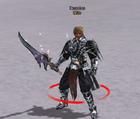
I shall share certain design of armor made by me.
kikiru7895123 is offline  
Old 04/16/2011, 02:01   #12
 
elite*gold: 600
Join Date: Dec 2010
Posts: 1,625
Received Thanks: 1,866
sehr nice thx
Bataleon is offline  
Old 04/16/2011, 02:49   #13
 
kikiru7895123's Avatar
 
elite*gold: 0
Join Date: Apr 2011
Posts: 96
Received Thanks: 61
Of nothing all the pleasure is for me ^^
kikiru7895123 is offline  
Old 08/27/2011, 11:55   #14
 
elite*gold: 0
Join Date: Mar 2011
Posts: 16
Received Thanks: 0
Hello, nice work! But i have a question...I extracted my armor, i painted it with Photoshop C3 and then i name it shaman_1-6.dds... Then i make the icons, item list, item proto (client side+server side) and i extracted root to edit the shaman_w.msm. I found the 66lvl armor..
shaman_1-1.dds and then i copy it and paste it down like this:
Group ShapeData34
{
ShapeIndex 12
Model "shaman_4-1.gr2"
SourceSkin "shaman_4-1.dds"
TargetSkin "shaman_4-6.dds"
}
and i don't understoud exactly what to write in "ShapeIndex" so i leave it
how it was..Now my problem is that when i open the game, it show me the armor in my inventory, and when i wear it, it give me the stats (eg the HP etc..) but i cant see it...Like this->

Please Tell me what i should do! Thanks!
matzis is offline  
Old 08/27/2011, 12:02   #15
wild wild son


Nick's Avatar
 
elite*gold: 0
Join Date: Feb 2011
Posts: 5,996
Received Thanks: 3,391
Quote:
Originally Posted by EYvil View Post
the dds converter ist **** because, that make chrome at all the armor, also on the hands or other of the skin.

Mfg EYvil

PS: an die deutschen; skin heißt Haut
^this

Gibt besseres & ist nicht das beste.
Nick is offline  
Reply


Similar Threads Similar Threads
[Release]S4 Modding BETA
01/04/2017 - S4 League Hacks, Bots, Cheats & Exploits - 205 Replies
Hi mir war Langweilig also dachte ich es wäre cool wenn die Waffen mal eine andere Farbe haben und besser aussehen oder es mehr fun macht mit ihnen zu spielen.Und beschloss mich eine Modding Datei zu machen *grins* Modding Items: -Revolver -CounterSword -PlasmaSword(pwn3d style) -SubmachineGun -StormBat -SemiRiffle(pink pown3d style) -Tunnel(pown3d style Freestyle Fun)
[RELEASE]Reittier modding
11/20/2010 - Metin2 Private Server - 7 Replies
€: Wegeditiert dank undankbaren Wesen hier die mit nix zufrieden sind ;) Kann geclosed werden
[Release]Modding by Achiiii
09/27/2010 - Metin2 PServer Guides & Strategies - 39 Replies
Hi E*pvp, ich habe diesen Thread mal geändert und werde von nunan alles was von mir gemoddet wurde hier uploaden, statt für jede Kleinigkeit einen neuen zu eröffnen. Uploads folgen bald ;) So far Achiiii
[Release/Modding]Schuppenplatten.,Smoking [M.]
06/03/2010 - Metin2 PServer Guides & Strategies - 12 Replies
Also ich möchte euch heute 2 Dinge vorstellen, einmal habe ich die weißen Smoking's der männlichen Schamanen und Ninja's schwarz gefärbt (so wie Krieger), das ist kein großes Ding aber ich wollt's einfach mal machen^^, und dann habe ich noch den Schuppenplattenpanzer eingefärbt/gemoddet. Smoking's: Ninja männlich: http://i47.tinypic.com/2dhzgok.png Schamane männlich: http://i45.tinypic.com/10hqd1c.png Schuppenplattenpanzer:
[Release] New Pferde u. NPC Modding
05/26/2010 - Metin2 PServer Guides & Strategies - 10 Replies
#closed


All times are GMT +1. The time now is 21:05.


Powered by vBulletin®
Copyright ©2000 - 2026, Jelsoft Enterprises Ltd.
SEO by vBSEO ©2011, Crawlability, Inc.

Support | Contact Us | FAQ | Advertising | Privacy Policy | Terms of Service | Abuse
Copyright ©2026 elitepvpers All Rights Reserved.