ARCANE FOR HUNT: SHOWDOWN
PLAYER ESP • ZOMBIE ESP • ITEM ESP • BATTLE MODE
A powerful visual-information solution designed to help you track hunters, enemies, weapons and useful objects throughout the bayou.
INSTANT DELIVERY • CLEAR SETUP GUIDE • CUSTOMER SUPPORT
PRODUCT OVERVIEW
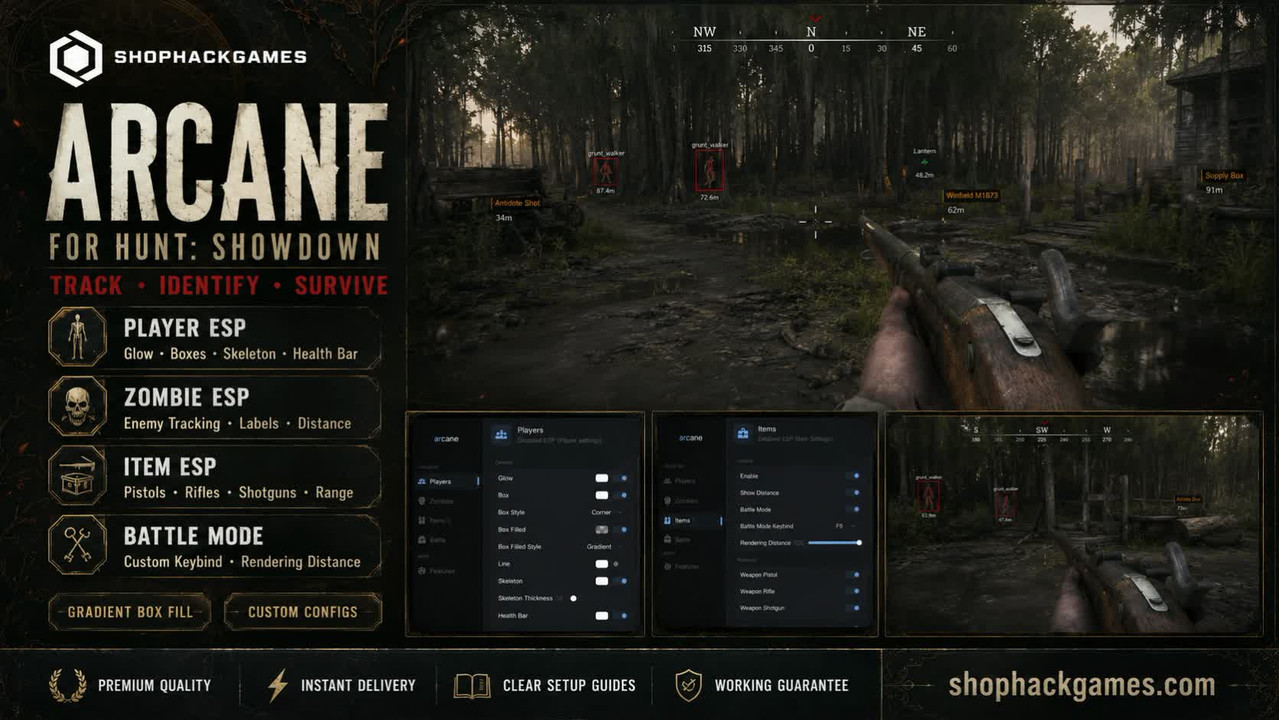
Arcane for Hunt: Showdown provides detailed information about nearby hunters, zombies, weapons and useful battlefield objects through a clean and configurable interface.
Choose the information you want to display, adjust rendering distances and configure visual elements to create a clear setup suited to your preferred playstyle.
PLAYER ESP
Receive detailed visual information about nearby hunters and configure how each element appears on the screen.
- Glow — highlight displayed players
- Player Boxes — display configurable boxes around hunters
- Box Style — select the preferred visual design
- Corner Boxes — use a compact corner-style box
- Filled Boxes — add a background inside player boxes
- Gradient Filling — use a smooth gradient box background
- Lines — display directional lines to players
- Skeleton — show player skeletons
- Skeleton Thickness — adjust skeleton line thickness
- Health Bar — display player health information
- Distance — show the distance to displayed targets
ZOMBIE ESP
Identify nearby hostile creatures before entering dangerous areas or enclosed locations.
- Zombie Highlighting — display nearby hostile creatures
- Enemy Labels — identify the displayed enemy type
- ESP Boxes — display boxes around tracked targets
- Distance — show the distance to highlighted enemies
- Clear Target Separation — distinguish creatures from other displayed objects
ITEM ESP
Locate weapons, ammunition and useful objects more efficiently while exploring the map.
- Enable Item ESP — activate item highlighting
- Show Distance — display the distance to highlighted items
- Weapon Pistols — display available pistols
- Weapon Rifles — display available rifles
- Weapon Shotguns — display available shotguns
- Useful Objects — identify supplies and interactive objects
- Rendering Distance — configure the maximum item display range
Examples visible through the interface include weapons, lanterns, supply boxes and useful consumable items.
BATTLE MODE & DISPLAY SETTINGS
- Battle Mode — quickly switch the configured item-display mode
- Battle Mode Keybind — assign a convenient activation key
- Rendering Distance — control the maximum display range
- Category Selection — enable only the item groups you need
- Separate Menu Sections — configure players, zombies and items independently
The flexible interface helps reduce unnecessary visual information and maintain a cleaner screen during active combat.
WHY CHOOSE SHOPHACKGAMES?
- Premium-quality products
- Automatic delivery immediately after payment
- Detailed and easy-to-follow setup instructions
- Assistance with activation and initial configuration
- Customer support after purchase
- Working-product guarantee according to store terms
- Current product status displayed on the website
Before purchasing, please check the current product status, supported game version, system requirements and available license periods on the product page.








 Hunt: Showdown Cheats (Arcane) - Esp and WallHack





