ARCANE FOR HELL LET LOOSE
AIMBOT • PLAYER ESP • BATTLEFIELD INFORMATION • CROSSHAIR
A powerful military-focused solution combining configurable aiming assistance, detailed player information and flexible visual settings.
INSTANT DELIVERY • CLEAR SETUP GUIDE • CUSTOMER SUPPORT
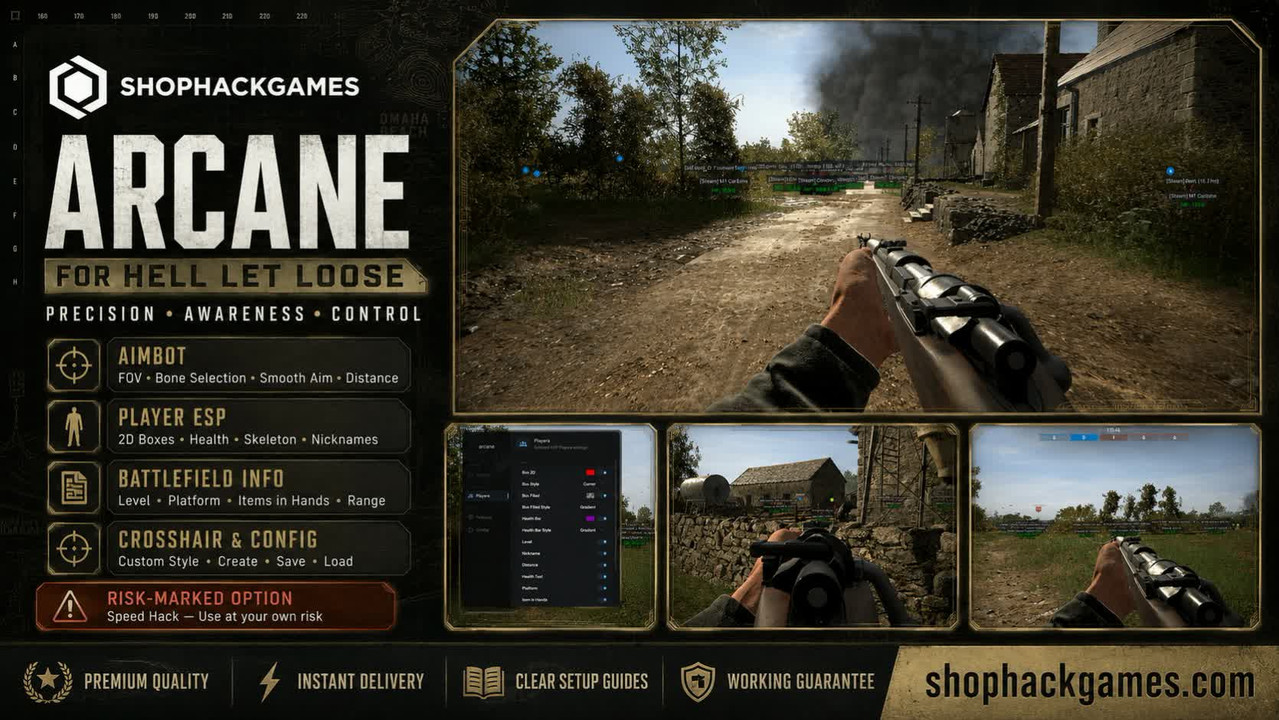
PRODUCT OVERVIEW
Arcane for Hell Let Loose combines configurable aiming assistance, advanced player highlighting, detailed battlefield information, a customizable crosshair and a convenient configuration system.
Adjust the FOV radius, aiming smoothness, target bone, maximum distance and ESP rendering range to create a setup that matches your preferred combat style.
AIMBOT
Configure the aiming system for different weapons, engagement distances and battlefield situations.
- Enable Aimbot — activate aiming assistance
- Draw FOV Border — display the aimbot operating radius
- Bone Selection — select Head, Neck, Body or Pelvis
- Keybind — assign a custom activation key
- Smoothness — configure the aiming movement speed
- FOV Radius — adjust the size of the FOV circle
- Distance — set the maximum aiming distance
PLAYER ESP
Receive detailed information about nearby players and configure how each visual element appears on the screen.
- 2D Boxes — display boxes around players
- Box Style — select the preferred box design
- Filled Boxes — add a configurable background to player boxes
- Health Bar — display player health bars
- Health Text — show the exact amount of health
- Level — display player levels
- Nicknames — display player names
- Distance — show the distance to players
- Platform — display the platform used by each player
- Items in Hands — show equipped weapons and items
- Lines — draw directional lines to players
- Skeleton — display player skeletons
- Rendering Distance — configure the maximum ESP range
CUSTOM CROSSHAIR
- Enable — display a crosshair in the center of the screen
- Style — select the preferred crosshair design
- Size — adjust the displayed crosshair size
- Thickness — configure the crosshair thickness
MISCELLANEOUS FEATURES
- Speed Hack — increase character movement speed
- FPS Limit — configure the interface frame rate limit
- Menu Language — select the preferred menu language
- Menu Keybind — assign a custom key for opening the menu
- Unload Keybind — assign a custom software unload key
IMPORTANT RISK INFORMATION:
Speed Hack is marked as a higher-risk function. Using this option may increase the probability of detection. Activate it only at your own discretion.
CONFIG SYSTEM
- Create — create a custom settings profile
- Save — save the current configuration
- Load — restore previously saved settings
- Delete — remove an unnecessary configuration file
Create separate profiles for different weapons, aiming settings and visual configurations.
WHY CHOOSE SHOPHACKGAMES?
- Premium-quality products
- Automatic delivery immediately after payment
- Detailed and easy-to-follow setup instructions
- Assistance with activation and initial configuration
- Customer support after purchase
- Help selecting the appropriate license period
- Current product status displayed on the website
Before purchasing, please check the current product status, supported game version, system requirements and available license periods on the product page.








 Hell Let Loose Cheats (Arcane) - AimBot / Esp and WallHack


