ARCANE FOR THE FINALS
AIMBOT • PLAYER ESP • CUSTOMIZABLE RADAR
A configurable combat solution featuring advanced aiming assistance, detailed player information and a fully customizable tactical radar.
INSTANT DELIVERY • CLEAR SETUP GUIDE • CUSTOMER SUPPORT
PURCHASE ARCANE FOR THE FINALS
VIEW ALL THE FINALS PRODUCTS
PRODUCT OVERVIEW
Arcane for THE FINALS combines configurable aiming assistance, detailed Player ESP and a customizable radar in one convenient interface.
Choose target categories, aiming bones and bone-selection logic. Adjust the FOV radius, smoothness, maximum operating distance and two independent activation keys.
Player ESP provides information about competitors, bots and teammates, while the radar helps track selected entities within a configurable area.
AIMBOT
Configure the aiming system for different weapons, combat ranges and target types.
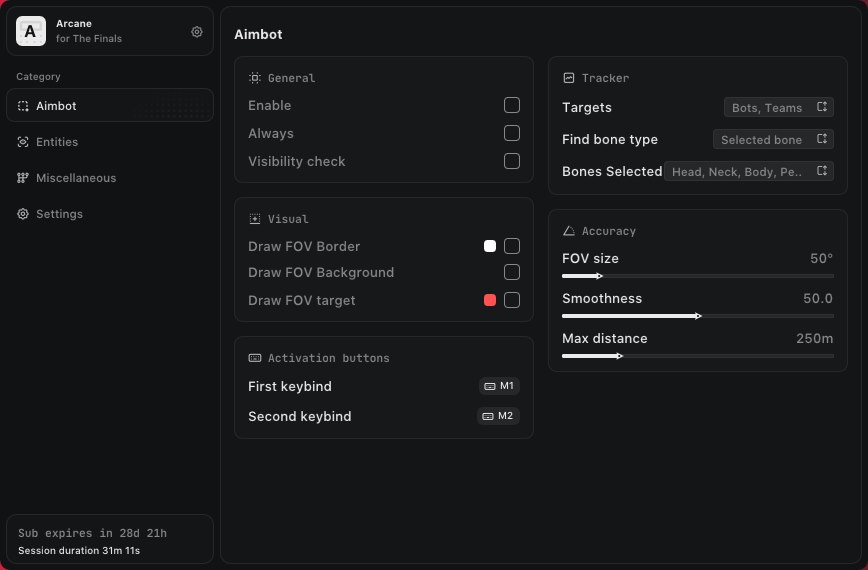
- Enable — activate the aiming assistance
- Always — keep the aiming system continuously active
- Visibility Check — prioritize targets currently visible to the player
- Draw FOV Border — display the border of the active aiming area
- Draw FOV Background — display a background inside the FOV circle
- First Keybind — assign the primary activation key
- Second Keybind — assign an additional activation key
- Targets — select Players, Bots, Teammates or Coma targets
- Find Bone Type — select Selected Bone, Closest Bone or Random Bone
- Bone Selection — select Head, Neck, Body, Pelvis or another available bone
- FOV Size — configure the size of the aimbot operating radius
- Smoothness — adjust the aiming movement speed
- Maximum Distance — configure the maximum aimbot operating range
INTERFACE NOTE: “Coma” is preserved as the target-category label used by the software interface.
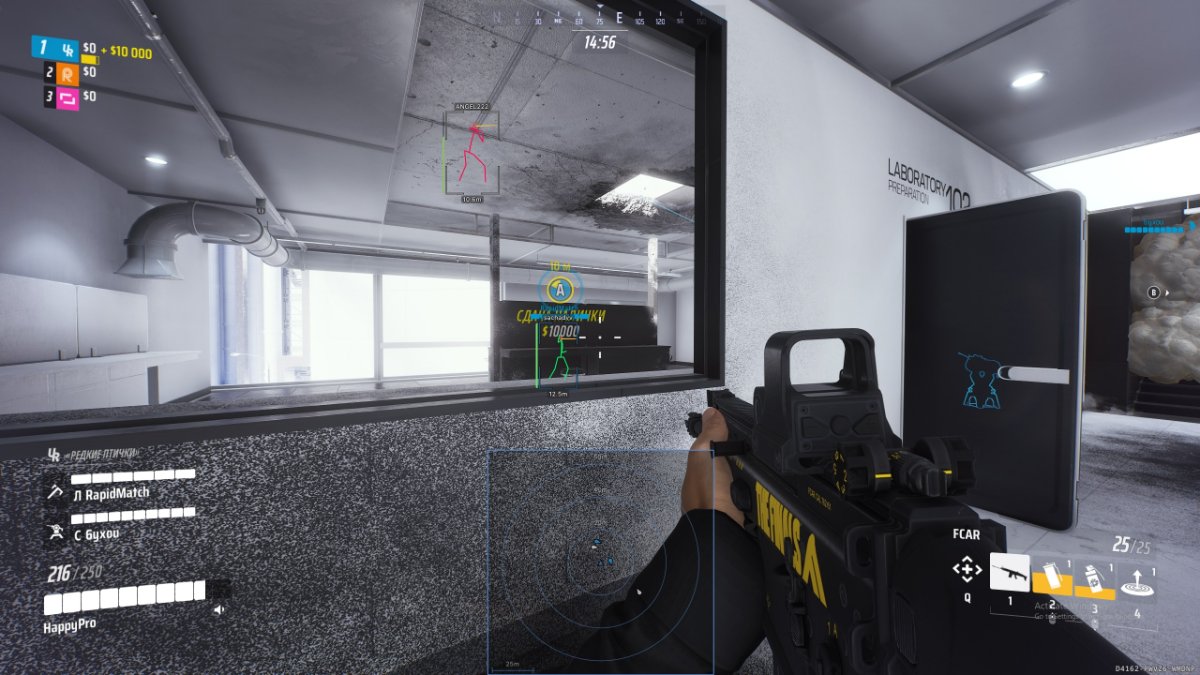
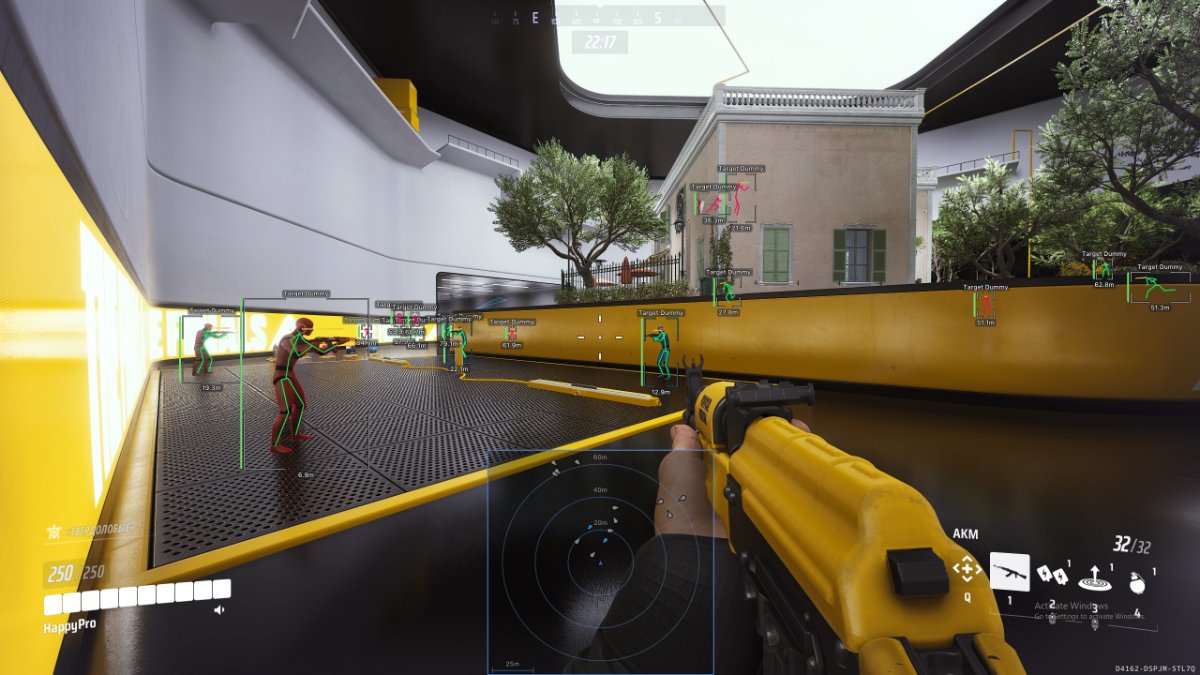
PLAYER ESP
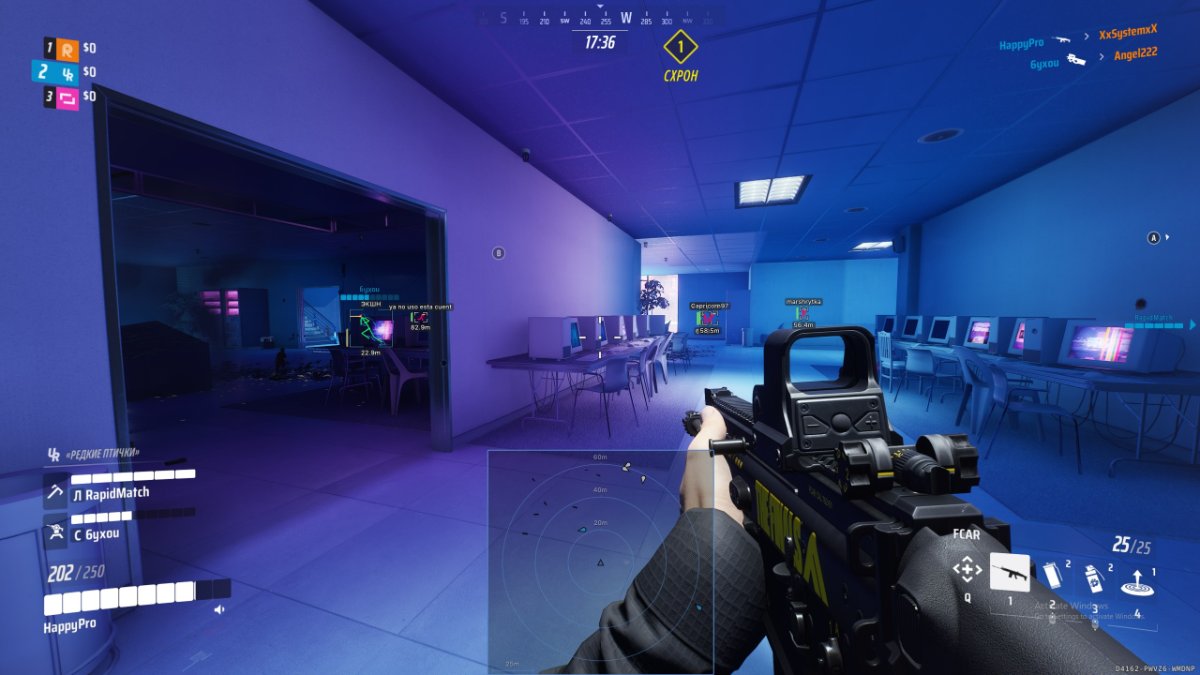
Receive detailed information about nearby players and configure the appearance of every visual component.
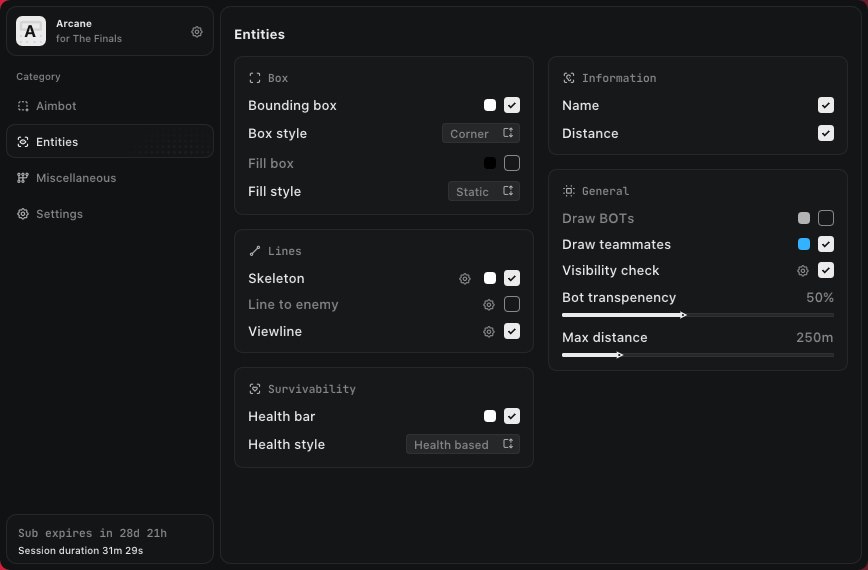
- Bounding Box — display full Box or Corner-style frames
- Filled Box — select a Static or Gradient box background
- Skeleton — display player skeletons and adjust line thickness
- Draw Head Circle — display a circle around the player’s head
- Fill Head Circle — add a configurable background to the head circle
- Line to Enemy — draw directional lines to targets
- Line Color — customize the color of directional lines
- Line Position — select the starting position of directional lines
- Health Bar — select Static, Health-Based or Gradient display modes
- View Line — display the direction in which a player is looking
- Name — display player names
- Distance — show the distance to each player
- Draw Bots — include bots in Player ESP
- Draw Teammates — include teammates in Player ESP
- Visibility Check — visually distinguish visible targets
- Bot Transparency — adjust the transparency of bot-related visuals
- Maximum Distance — configure the maximum Player ESP range
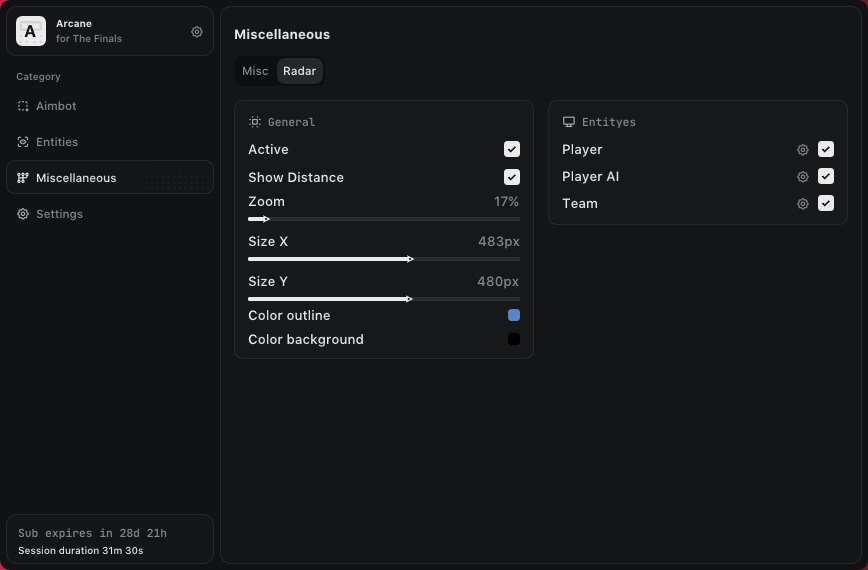
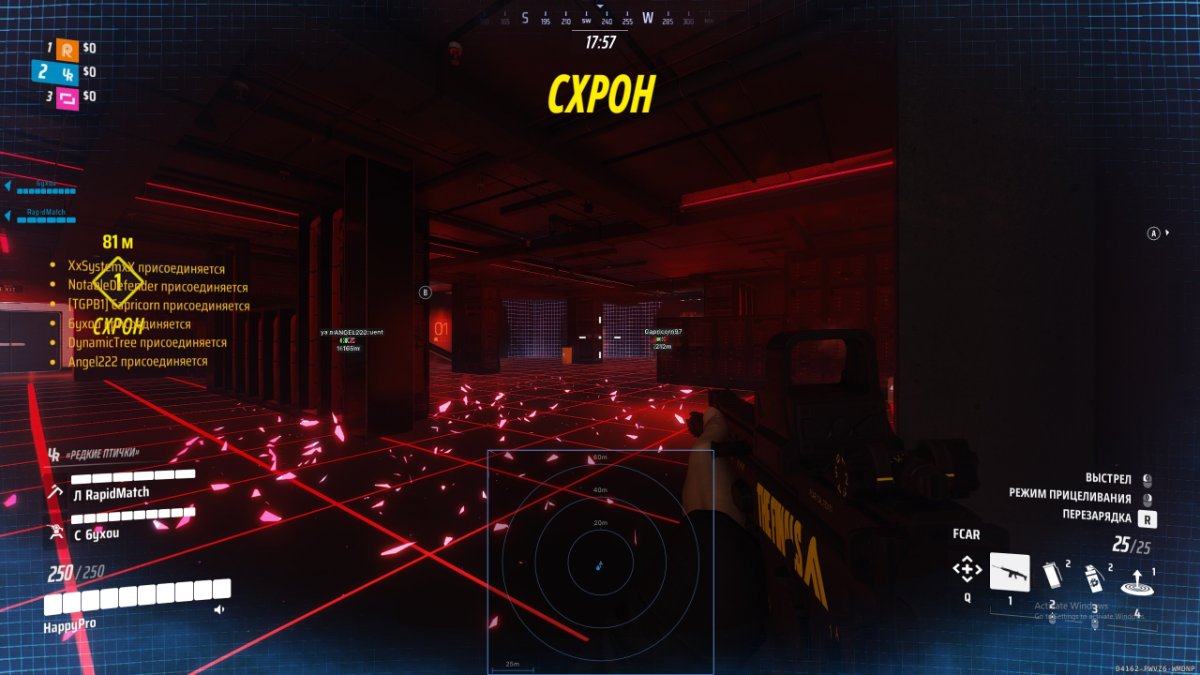
TACTICAL RADAR
Use the customizable radar to monitor selected entities and adjust its appearance to match your interface.
- Enable — activate the radar
- Show Distance — display the distance to radar entities
- Zoom — adjust the radar viewing scale
- Size X — configure the horizontal radar size
- Size Y — configure the vertical radar size
- Distance Transparency — adjust marker transparency according to distance
- Outline Color — customize the radar border color
- Background Color — customize the radar background
RADAR ENTITY FILTERS
- Show Players — display real players on the radar
- Show AI — display AI-controlled entities on the radar
- Show Team — display teammates on the radar
The individual filters allow you to remove unnecessary entity types and maintain a cleaner radar display.
INTERFACE & SETTINGS
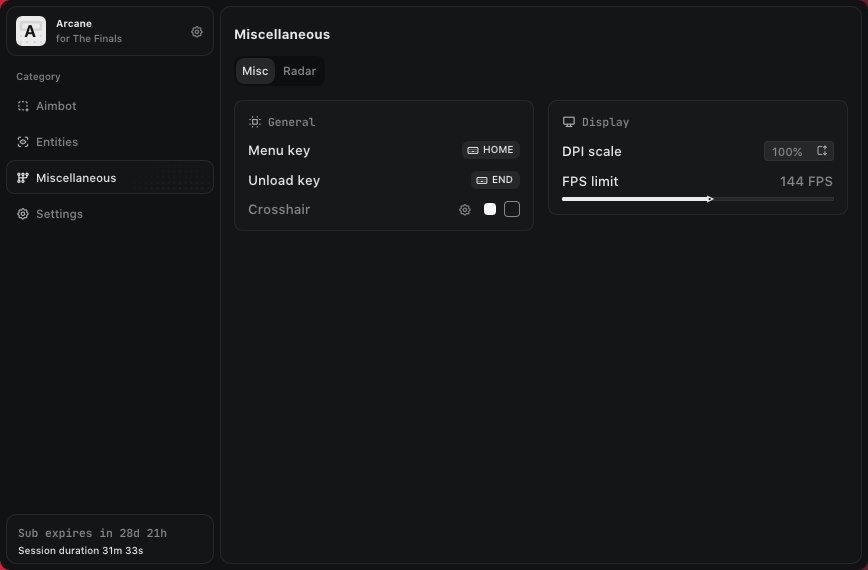
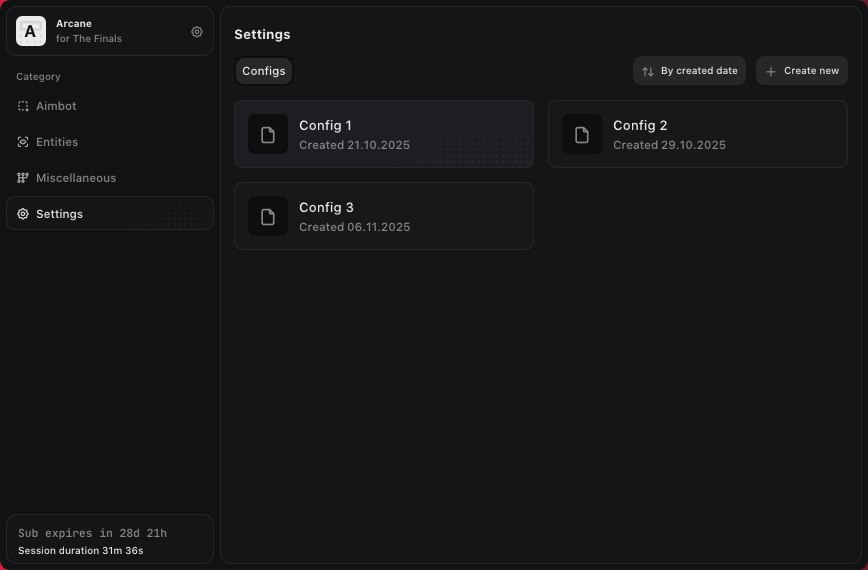
- Menu Keybind — assign a custom key for opening the menu
- Unload Keybind — assign a key for completely unloading the software
- DPI Scale — adjust the size of the menu and visual components
- FPS Limit — configure the interface frame-rate limit
- Theme — select the Murky or Sunny interface theme
- Watermark — enable or disable the software watermark
- Language — select English, Russian or Chinese
SYSTEM REQUIREMENTS
- Supported Game Platform: Steam
- Supported Display Modes: Windowed and Fullscreen
- Supported Operating Systems: Windows 10 and Windows 11 x64
- Supported Windows Versions: 2004, 20H2, 21H1, 21H2, 22H2 and 23H2
- Supported Anti-Cheat: In-game anti-cheat
- Supported Processors: Intel and AMD
- Hidden from Videos or Screenshots: No
RECORDING AND STREAMING NOTICE:
The software does not provide screenshot or recording protection. Player ESP, radar elements, the menu and other visuals may appear in recordings, screenshots and live streams.
SCREENSHOTS
Open the spoiler below to view menu and in-game examples.
WHY CHOOSE SHOPHACKGAMES?
- Premium-quality products
- Automatic delivery immediately after payment
- Detailed and easy-to-follow setup instructions
- Assistance with activation and initial configuration
- Customer support after purchase
- Help selecting the appropriate license period
- Current product status displayed on the website
IMPORTANT INFORMATION
Before purchasing, please check the current product status, supported game version, Windows requirements and available license periods on the product page.
Third-party software may violate the game’s terms of service and can result in account restrictions. The customer assumes responsibility for its use.








 Buy the Arcane cheat for The Finals with Aimbot and ESP