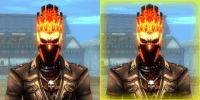
1 - Data\Texture\ui\game\ware\ware.dds
Here is my edited warehouse i removed the evo logo from it.

just download the ware.rar below ^^ and replace it
2 - Data\texture\ui\game\itemstrength\itemstrength.dds
or u mean changing the +1-+3 stuff ? more info please :P
Editing the other stuff on the upgrade windows like +1 - +3 and required ingredients by level
just edit stringtable_itemupgrade.txt

oh ya and dshop icon.
Example :
CashItemIcon,
203,UI\Game\theme01\dekashopicon03.dds,448,320,64,64, 0,0,0,0,Summoner's Wild Uniform,,
4,,
203,Summoner Wild Uniform,0,0,203,1
that shud be it. and just path the imagetable to the right dds file. and easy way add a new icon is just creat new dds file. size 64 64 just change the red colored column to 0,0
CashItemIcon,203,UI\Game\theme01\dekashopicon03.dd s,
0,0,64,64,0,0,0,0,Summoner's Wild Uniform,,
Also added Dshop update here!
PASSWORD = elitepvpers.com






![[RELEASE]Conc+Seguriper Server Files](https://www.elitepvpers.com/forum/iconimages/dekaron-private-server/release-conc-seguriper-server-files_ltr.gif)