Mason Deadlock Cheat – Configurable Aimbot, Full ESP and Draggable Radar
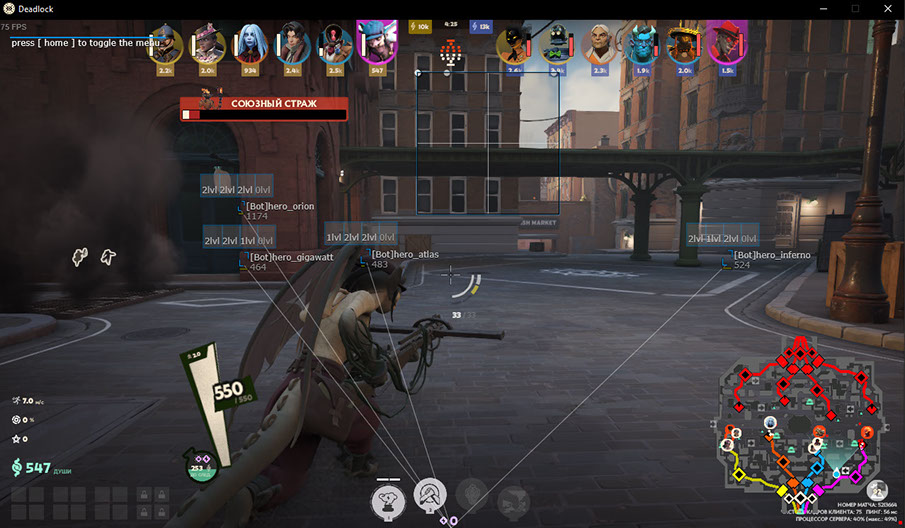
Mason for Deadlock is built around the essentials done right. The cheat ships with everything you need to make the gameplay more interesting and dynamic — an accurate wallhack that displays enemy positions and an aimbot that smoothly moves your cursor onto the chosen body part. All you have to do is take the shot and bank the frag.
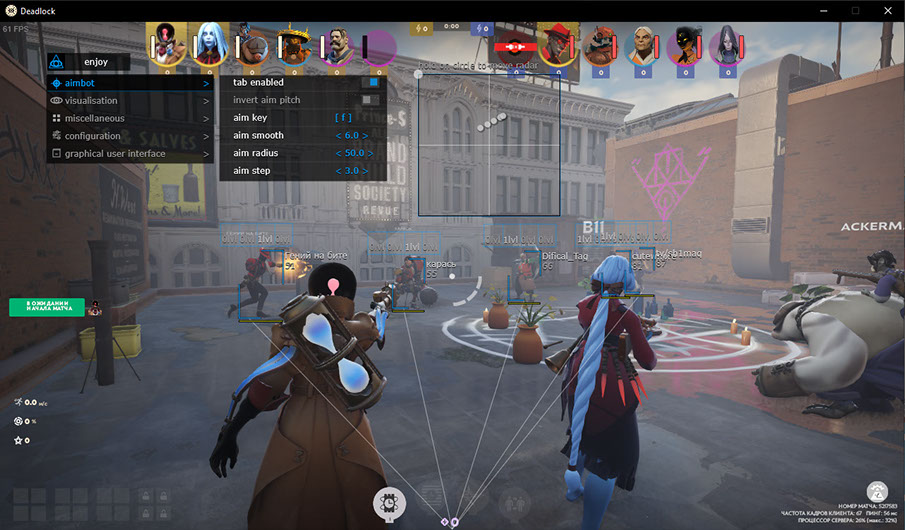
The aimbot supports activation key (hold to use), adjustable smoothness, radius and step (precision), automatic target switch on kill, plus the ability to aim at souls. The visual layer covers 2D bounding boxes, skill bar showing player abilities, snaplines, enemy health bar, names, distance, soul markers — with a clean toggle to ignore teammates.
On top of that, you get a draggable radar overlay with adjustable size and radius, plus clipboard-based config sharing — save your setup once and load it on any session in two clicks.
· Game version: Steam
· Game mode: Windowed / Fullscreen in window / Fullscreen
· OS: Windows 10 & 11 x64 (2004 / 20H2 / 21H1 / 21H2 / 22H2 / 23H2)
· Anti-cheat: In-game
· CPU: Intel and AMD
· Video / screenshot invisibility: No
Main Features:
· Configurable aimbot with smoothness, radius and step (precision)
· Aim at souls, auto target switch on kill
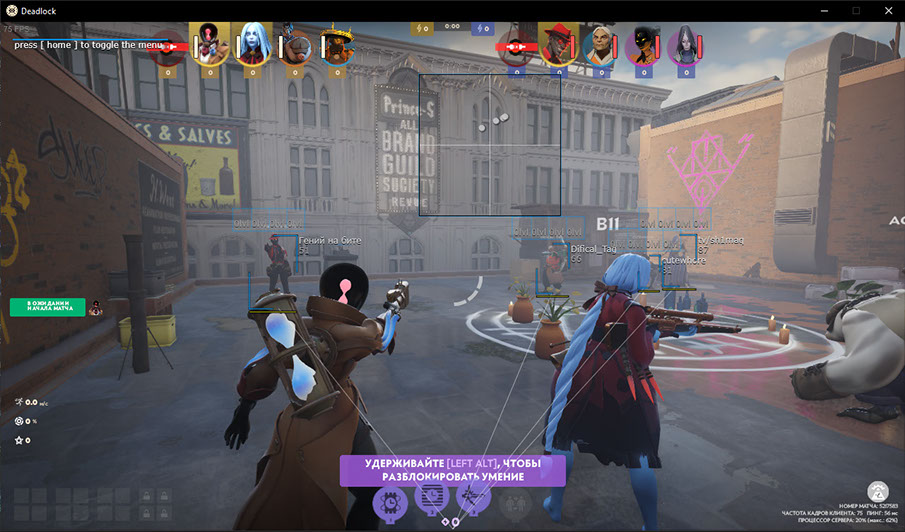
· Player ESP with 2D bounding box, skill bar, snaplines
· Enemy health bar, names, distance and soul markers
· Ignore teammates toggle
· Draggable radar overlay with size & radius controls
· Clipboard config sharing — save and load settings instantly
· Save CPU mode for stable performance
Aim Assist: Core – Enable aimbot / Set aim key (hold to activate) Tuning – Aim smoothness / Aim radius / Aim step (precision) Targets – Aim at souls / Auto switch target on kill
Visualisation: Box – 2D bounding box on players Info – Skill bar (player abilities) / Snaplines / Enemy health bar / Player names / Distance to enemies World – Show souls / Ignore teammates
Configuration: – Save CPU resources / Load config from clipboard / Save config to clipboard
Radar: – Draggable radar overlay (hold LMB to move) / Radar size and radius settings








 Mason Deadlock Cheat – Aimbot, ESP, Skill Bar and Draggable Radar