ARCANE FOR DEAD BY DAYLIGHT
PLAYER & KILLER ESP • OBJECT ESP • SKILL CHECK HELPER
A powerful and configurable solution that provides detailed trial information, object highlighting and helpful gameplay features.
INSTANT DELIVERY • CLEAR SETUP GUIDE • CUSTOMER SUPPORT
PRODUCT OVERVIEW
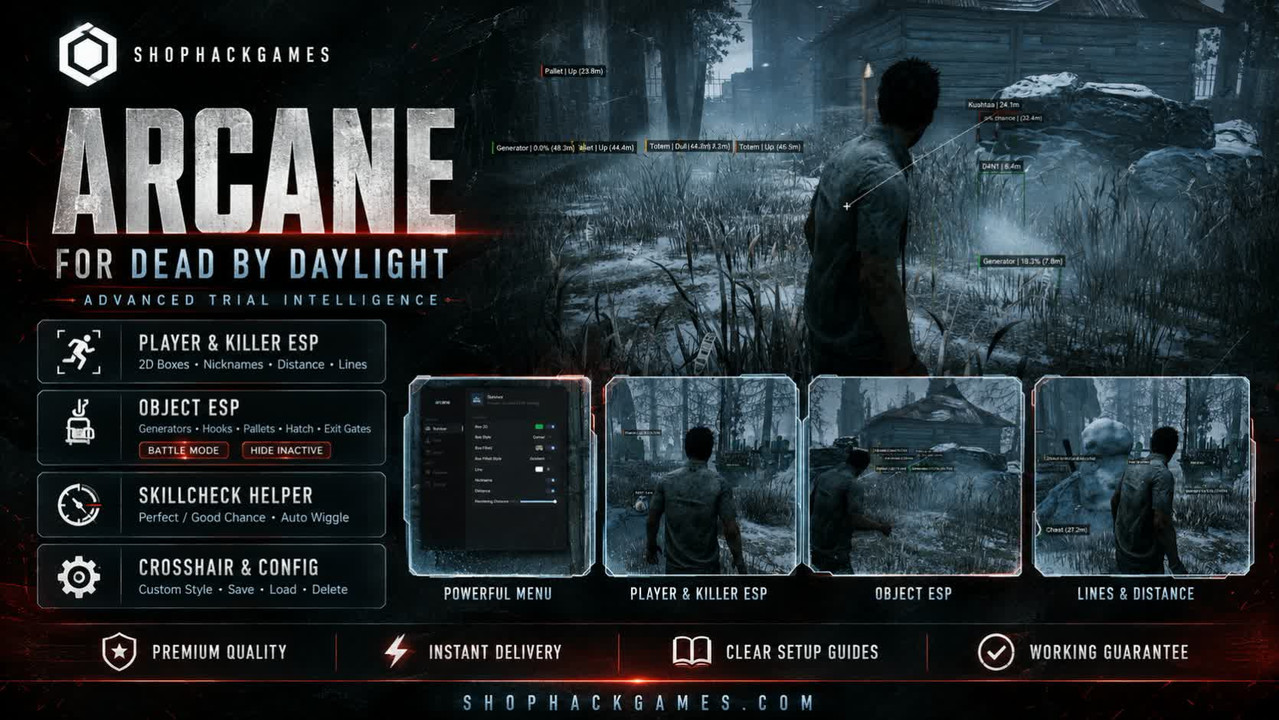
Arcane for Dead by Daylight combines player and killer highlighting, detailed object information, a configurable crosshair and an advanced Skill Check Helper in one convenient interface.
Flexible display settings allow you to configure rendering distance, visual styles, keybinds and individual object categories according to your preferred playstyle.
PLAYER & KILLER ESP
Receive clear information about survivors and the killer during the trial.
- Player & Killer ESP — highlight survivors and the killer
- 2D Boxes — display configurable boxes around characters
- Filled Boxes — add a colored background to displayed boxes
- Nicknames — display survivor names
- Distance — show the distance to highlighted characters
- Lines — draw directional lines to displayed targets
- Rendering Distance — configure the maximum ESP display range
OBJECT ESP
Track important trial objects and display only the information you need.
- Enable Object ESP — activate object highlighting
- Show Distance — display the distance to objects
- Hide Inactive — hide objects that are currently inactive
- Battle Mode — quickly hide visual information when required
- Battle Mode Keybind — assign a custom activation key
- Rendering Distance — configure the maximum object display range
SUPPORTED OBJECT CATEGORIES
- Generators
- Hooks
- Pallets
- Lockers
- Chests
- Totems
- Traps
- Hatches
- Exit Gates
SKILL CHECK HELPER
- Enable — activate the Skill Check Helper
- Perfect Chance — configure the chance of a perfect skill check
- Good Chance — configure the chance of a successful skill check
- Auto Wiggle — automatically perform the wiggle action
CUSTOM CROSSHAIR
- Enable — display a crosshair in the center of the screen
- Style — select the preferred crosshair design
- Size — adjust the crosshair size
- Thickness — configure the thickness of the displayed crosshair
MISCELLANEOUS & CONFIG
- FPS Limit — configure the interface frame rate limit
- Menu Language — select the preferred menu language
- Menu Keybind — assign a custom key for opening the menu
- Unload Keybind — assign a key for unloading the software
- Create Config — create a custom settings profile
- Save Config — save your current configuration
- Load Config — quickly restore saved settings
- Delete Config — remove unnecessary configuration files
WHY CHOOSE SHOPHACKGAMES?
- Premium-quality products
- Automatic delivery immediately after payment
- Detailed and easy-to-follow setup instructions
- Assistance with activation and initial configuration
- Customer support after purchase
- Help selecting the appropriate license period
- Current product status available on the website
Before purchasing, please check the current product status, supported game version, system requirements and available license periods on the product page.








 Dead by Daylight Cheats (Arcane) - Esp and WallHack


