ARCANE FOR DARK AND DARKER
Player ESP • NPC ESP • Item ESP • Crosshair • Config System
A configurable visual solution for Dark and Darker that provides detailed information about players, hostile creatures, chests, portals, traps and other important objects.
INSTANT DELIVERY • SETUP GUIDE • CUSTOMER SUPPORT
VIEW ARCANE ON SHOPHACKGAMES
PRODUCT OVERVIEW
Arcane for Dark and Darker combines detailed player visualization, monster information and item highlighting in one convenient interface.
The software provides configurable 2D boxes, health information, player names, distance, level and skeleton display. Separate NPC filters allow users to select which creature categories should appear on the screen.
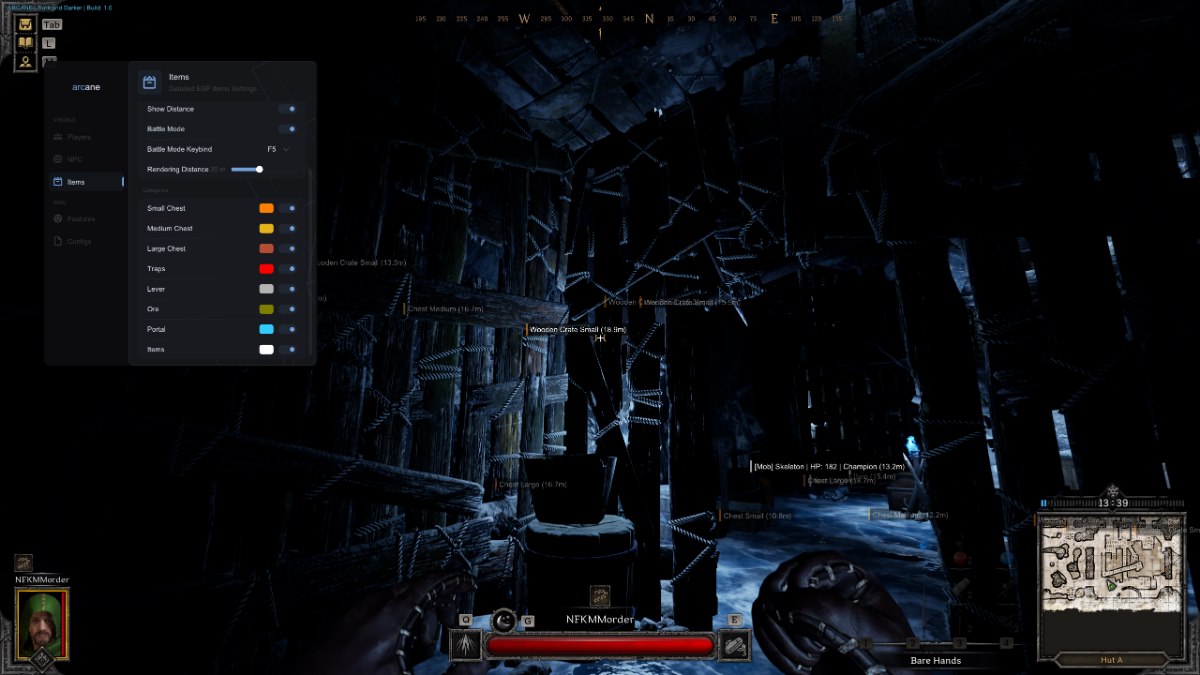
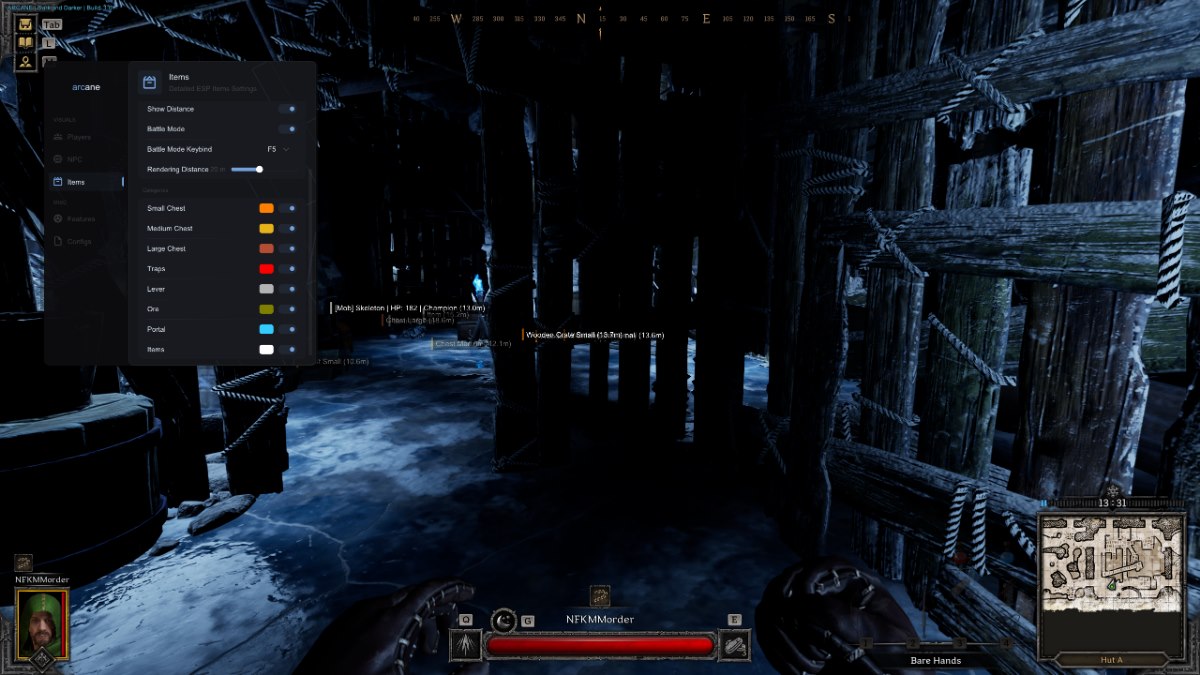
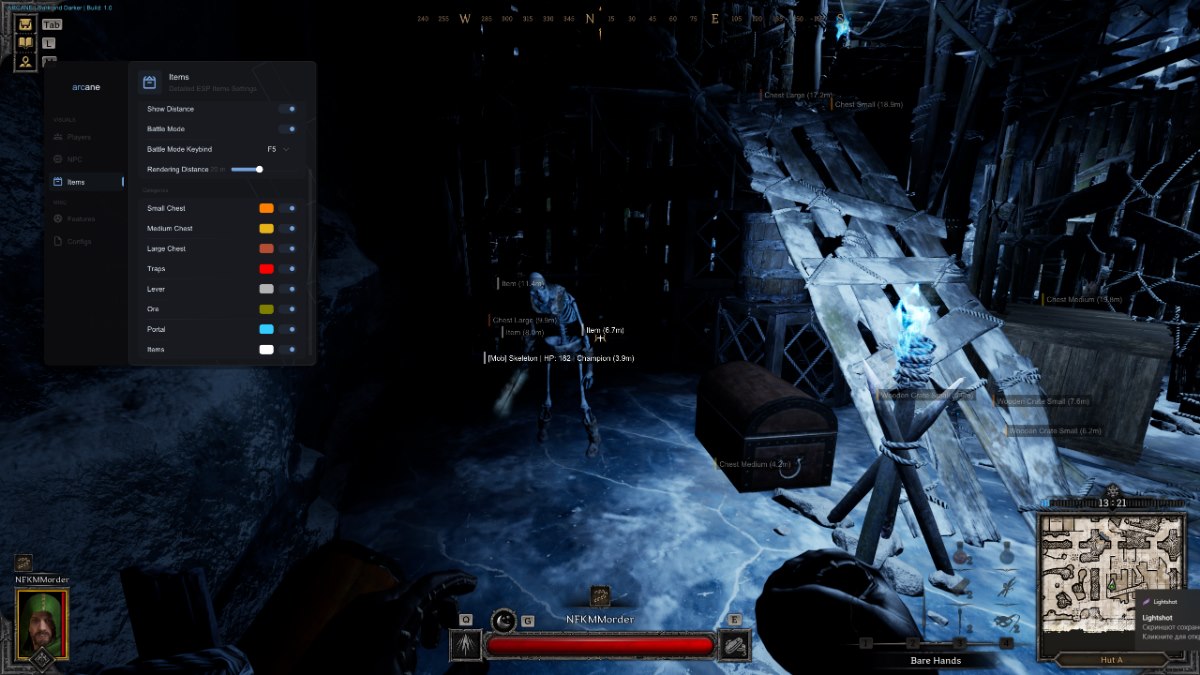
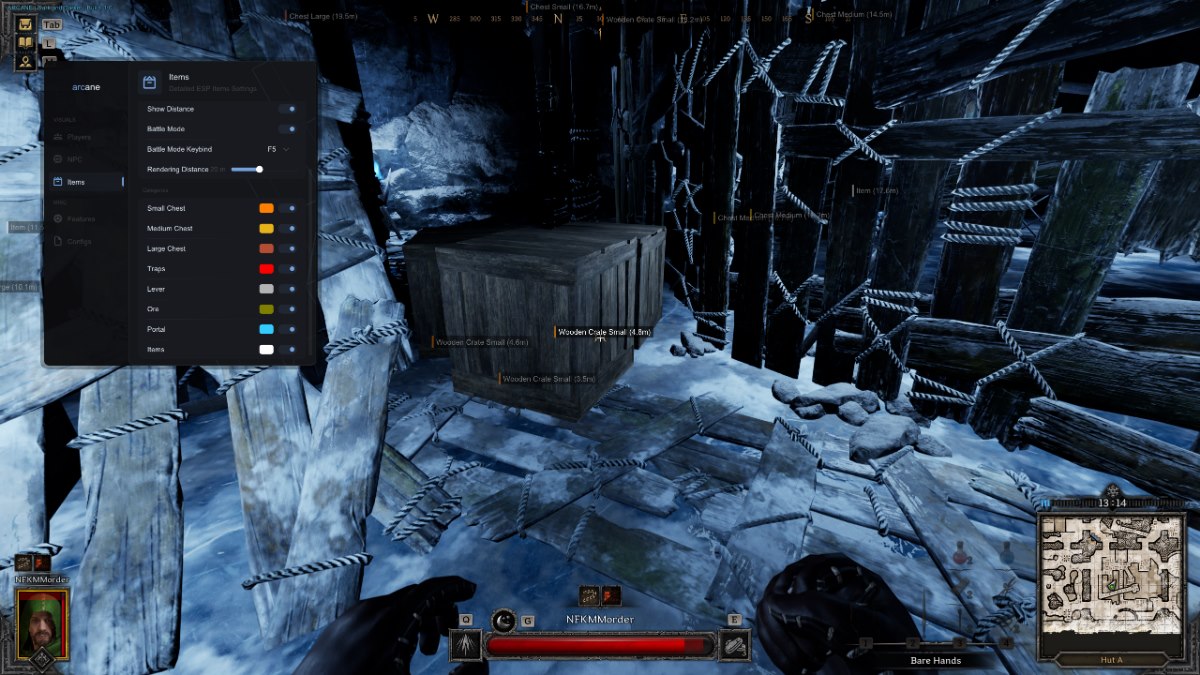
Item ESP includes filters for chests, traps, levers, ore, portals and other objects. Battle Mode can temporarily disable item highlighting when additional visual information is not required.
Additional features include a customizable crosshair, menu controls, FPS limiting and a complete configuration system for creating, saving, loading and deleting individual profiles.
PLAYER ESP
Receive detailed information about nearby players and configure how each visual element appears on the screen.
- 2D Box — display a two-dimensional box around players
- Box Filled — select a static or gradient box fill style
- Health Bar — display player health
- Line — draw directional lines toward players
- Nickname — display player nicknames
- Distance — display the distance to players
- Level — display player levels
- Skeleton — display player model bones
- Rendering Distance — configure the maximum player ESP range
NPC ESP
NPC ESP provides useful information about hostile creatures and other mobs located nearby.
- Show Type — display the creature type
- Show Health — display current health
- Show Distance — display the distance to the creature
- Rendering Distance — configure the maximum NPC ESP range
Supported NPC categories:
- Wolf — display wolves
- Skeleton — display skeleton enemies
- Walkers — display walkers
- Mummy — display mummies
- Mimic — display mimics
- Giant — display giants
- Spider — display spiders
- Goblin — display goblins
- Other — display other supported creatures
ITEM ESP
The item highlighting system helps locate useful objects and allows users to reduce visual clutter through individual filters and Battle Mode.
- Show Only When Hovering — display information only while hovering over an item
- Hovering Factor — adjust the hovering activation factor
- Show Distance — display the distance to items
- Battle Mode — temporarily disable Item ESP during combat
- Keybind — assign the Battle Mode activation key
- Rendering Distance — configure the maximum Item ESP range
Supported item categories:
- Small Chest — display small chests
- Medium Chest — display medium chests
- Large Chest — display large chests
- Traps — display traps
- Lever — display interactive levers
- Ore — display ore deposits
- Portal — display portals
- Items — display other supported items
CROSSHAIR & ADDITIONAL FEATURES
Configure the software interface and add a separate crosshair to the center of the screen.
- FPS Limit — configure the frame rate limit
- Menu Language — select the interface language
- Menu Keybind — assign the menu activation key
- Unload Keybind — assign the software unload key
- Enable Crosshair — display a crosshair in the center of the screen
- Style — select the crosshair style
- Size — adjust the crosshair size
- Thickness — adjust the crosshair line thickness
CONFIG SYSTEM
The integrated configuration system allows users to maintain separate profiles for different visual setups.
- Create — create a new user configuration file
- Save — save the current user settings
- Load — load a previously saved configuration
- Delete — delete a selected configuration file
SOFTWARE SCREENSHOTS
The screenshots below demonstrate the Arcane interface and its available settings for Dark and Darker.
CONFIGURATION OPTIONS
Arcane provides extensive customization for its visual elements, rendering distance, item filters and interface controls.
- Static and gradient player box styles
- Player health, nickname, distance and level information
- Configurable player skeleton display
- Adjustable player ESP rendering distance
- Individual filters for supported NPC categories
- NPC type, health and distance information
- Individual filters for chests, traps, portals and other objects
- Battle Mode for temporarily disabling Item ESP
- Configurable menu and unload keys
- Custom crosshair style, size and thickness
- Multiple configuration profiles
Create a minimal visual layout or enable additional information according to your preferred playstyle.
PURCHASE AND DELIVERY
- Open the Arcane product page on ShopHackGames
- Check the current product status and compatibility
- Review the system requirements
- Select the appropriate license period
- Complete the payment using the available payment method
- Receive the digital product automatically after payment confirmation
- Follow the included installation and launch instructions
OPEN THE ARCANE PRODUCT PAGE
WHY CHOOSE SHOPHACKGAMES?
- Automatic digital product delivery after successful payment
- Clear installation and launch instructions
- Customer support after purchase
- Assistance with activation and initial setup
- Current product status displayed on the website
- Help choosing the appropriate product and license period
- Premium solutions for a wide range of online games
Before purchasing, please check the current product status, supported game version, system requirements and available license periods on our website.
IMPORTANT INFORMATION:
Third-party software may violate the game rules and may result in restrictions on your game account. No product can guarantee complete protection against detection. Check the current product status and compatibility before purchasing, and use all available features at your own discretion.








 Dark and Darker Cheats (Arcane) - Esp and WallHack