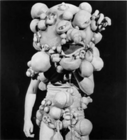
So, I've done some looking into the client side and server. But basically what I wanted to do was copy an existing item to a brand new item thus re-naming it remake the level requirement and tweak some stats maybe. And ofc it was mainly to change the look of armors/weaps, but don't want to take away the old looks. Instead ill use the available 7 levels I have and make a brand new 7 items for lvl 131-137.
To test this I wanted to first copy an existing item, change its ID and do this for server and client side. Then add a new texture to client side then change the ID of that too. It's this how it should be done? Or there it's another way?
Third part would be make a NPC that would sell them or rather, just put them into the Shopping Mall.
Step one. Create new items on Database and Item.dat on client side.
Step 2, make new texture items and mesh
step 3, create new item ItemID-c3/texture/new texture.dds and same for mesh
step 4, make new or copy existing item map and item icons.
step 5 add em into shoppingmall.
So after doing all those steps, I got the item to come up in inventory and show properly in equipment and inventory. Don't know why when I drop the item it doesn't show an image. Also the texture/mesh of the item doesn't show. I doubled check the ini IDs and make sure I didn't type the wrong dds files, but they all correct.
Please anyone would give me a better guide or explanation ill appreciate it.
Finally got it to work. So apparently after editing the ini files.. u have to unpack c3.wdb file, then convert those files within and edit them. After all that, convert the file again then put them back into the ini then open conquer and itll pack them back to c3.wbd.
But the quality of items don't work properly. Like only normal item shows and etc..
That fixes the qualities, but now it just doesn't show for any quality and normal quality cant be spawned anymore used 3-5. And yes I did change the numbers in texture and all the rest of the stuff I did before. Weird...
Please move to CO2 Weapon, Armor, Effects & Interface edits section. Thanks.
Quote:
get your Conquer Online 2 eye candy modifications here [no questions]
Your question is related to private servers as you "can't" add an item to the official Conquer. Plus, it's not a release, so should not be in the edits section.
Fix bug copying objects 03/29/2012 - Shaiya Private Server - 11 Replies Just apologize, I'm here for the first time. And do not speak English very well. So, what's the problem: on my private server is a bug with copying the clothes / weapons. Describe the bug:
First, we ring a friend on Skype, and go with him to dissent (or wherever you want).
Open the phone stopwatch.
And he who has the clothes, the exchange offer to a friend.
After that, who offered to exchange press "OK" after he hit, his friend says, "I came," and each includes a stopwatch when the...
BCP - Bulk Inserting / Copying to Sql 11/17/2011 - SRO Private Server - 2 Replies So I've asked for help a few days ago on this subject of inserting textdata from the media. And replies were related to Bulk Inserts using BCP.
I do realize that some people are conservative on how much they want to tell the community due to competition.
So all bullshit aside. So we don't make any mistakes to the database or other files I need someone to share their method of using Bulk Inserting through BCP or other Sql Import tools.
Use an example of a textdata file and where it...
[Exploit] Copying suns 02/16/2010 - SRO PServer Guides & Releases - 22 Replies First u need wpe pro+ srProxy.
1. Open srProxy, configure everything like in Li tut.
2. Same with wpe pro.
3. Click A in game, start capturing packets, click icon stall, stop capturing packets. Now u have stall packet.
4. Go to guild storage, click this guy, start capturing packers, click "use guild storage" , stop capturing packets. Should be 3 packets.
5. Now log on with another character, give/accept exchange, start captured stall packet then start captured guild storage packet. Guild...