|
You last visited: Today at 13:09
Advertisement

[Tool] Blade & Soul Tool | BnSTool
Discussion on [Tool] Blade & Soul Tool | BnSTool within the Blade & Soul Hacks, Bots, Cheats & Exploits forum part of the Blade & Soul category.
 02/23/2016, 21:27
|
#121
|

elite*gold: 0 
Join Date: Jan 2016
Posts: 1
Received Thanks: 0
|
Quote:
Originally Posted by killzone

If you received an Error during your first run, copy and paste this.
Then Save as "Settings.txt" and restart BnSTool.
Code:
[Settings]
AFK Interval=5
Craft Interval=1
[Crafting Button]
A-X=867
A-Y=187
B-X=868
B-Y=235
C-X=872
C-Y=296
D-X=732
D-Y=553
GA-X=506
GA-Y=271
GB-X=510
GB-Y=273
GC-X=515
GC-Y=461
[Key Macros]
3RF=100
LBRB=100
JUMP=500
[TAG Match]
PvP-X=0000
PvP-Y=0000
RDY-X=0000
RDY-Y=0000
Loop=5
[Craft Option]
Guild A=True
Guild B=False
Guild C=False
Currently at early version. Only has few features.
Updated 1.0.0.2
Changed the Afk Guild Crafting.
Now using The Guild Crafting Window instead of Progress Window
Easy Setup Guide
 Update 1.0.0.3
Removed Trial Configuration. I forgot to remove this before. Now everyone can use this without time limit.
Update 1.0.0.4
Code:
Corrected the Anti-AFK timer.
Added Always Jump (useful in PvP)
Added 3RF (sends 3-R-F keys)
Changed the Overlay Background
Changed the Text Color
Moved the PING to Top-Center of your Blade & Soul Client.
Update 1.0.0.5
Added Tag-match Auto Queue (Loss bot)
Fixed Auto LBRB, now sends Right Click correctly.
Adjusted minimum value for Auto 3RF & Auto LBRB to 100ms (going so fast may crash the client or causes memory leak.)
Change Crafting interval from 30 minutes to 1 minute (can be adjusted in config)
Added option which Crafting guild you wanted to craft. (example you want to craft Guild A Product A)
Update 1.0.0.6
- Added option to Leave Party on 3v3 Tag Match Feature
But be warned. This function may accidentally leave your party during matches. Update 1.0.0.7
Minor change to the Overlay background.
No further updates.

Current Features- Anti Afk (Can work even client is minimized)
- Afk Guild Crafting (Client must be in foreground!)
- External Overlay
- MAY OR MAY NOT WORK IN FULLSCREEN MODE
- MAY OR MAY NOT WORK IN WINDOWS 10. (Something to do with AutoIt)
Anti Afk - Send Key Strokes to the game. You can set the interval.
Afk Guild Crafting - Clicks Receive & Reorder button to craft. This is useful to raise your guild reputation as well as earn gold while you're sleeping / afk.
NEW* PvP Tag Match Auto Queue - Useful to farm Beans while you're sleeping!
Auto 3-R-F Combo - Sends 3-R-F Keys. Useful if you're KFM.
Auto LBRB - Sends Left-Click & Right-Click in a loop. (For ani-cancel)
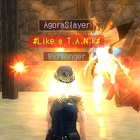
External Overlay (ZERO MEMORY READ/WRITE) - See Screenshot below
Screenshot (In Game)
Note: - This file is packed. So your anti-virus may pick this as malicious. I dont plan to remove the protection. Deal with it.
- Uses AutoIt Library. You may or may not need to install AutoIt.
- You need SimpleTools Forum Account to access this tool.
- This tool is CURRENTLY FREE. As we go further with development and added more functions, this tool will eventually be updated to Shareware.
Virus Total Result
Also note that this may or may not work on every system. I only have tested this on Windows 7 x64 Operating System. Gameguard may or may not block this tool. But during the Test, it work as intended.
For help and support .
If you liked this App and just wanted to support US with the development. You may subscribe, .
With that, download below. |
Is there anyway to change the keybindings? I'm trying to use the Key macro, Num1 for 3RF, but my Num1 key is also my END key with closes the program
|

|
|

|
02/23/2016, 23:10
|
#122
|

elite*gold: 100
Join Date: Mar 2006
Posts: 1,825
Received Thanks: 429
|
@Uber Tuna
The HotKey for 3RF and so on is currently not working. Its disabled.
The only Hotkeys that works now is:
Left Arrow, Right Arrow, Down Arrow, INS Key & END Key.
|
|
|
|
|
02/24/2016, 04:43
|
#123
|

elite*gold: 0
Join Date: Sep 2010
Posts: 23
Received Thanks: 2
|
This tool don't work, i have many processus but no windows, i have try windowed game and run administrator but this tool doesn't start.
|
|
|
|
|
02/24/2016, 05:18
|
#124
|

elite*gold: 0
Join Date: Mar 2008
Posts: 83
Received Thanks: 5
|
any solution to this ?..
|
|
|
|
|
02/24/2016, 09:46
|
#125
|

elite*gold: 0
Join Date: Jul 2013
Posts: 435
Received Thanks: 480
|
Quote:
Originally Posted by -Ice-
any solution to this ?..
|
Yep, someone's not handling data types correctly. 
|
|
|
|
|
02/24/2016, 17:49
|
#126
|
elite*gold: 100
Join Date: Mar 2006
Posts: 1,825
Received Thanks: 429
|
Quote:
Originally Posted by -Ice-
any solution to this ?..
|
Hehehe, sorry bout that. Just continue then on on overlay navigate to "config" and click sve and reload.
This happens during first run of the app or during new updates.
I keep forgetting to fix this.
|
|
|
|
|
02/24/2016, 20:02
|
#127
|
elite*gold: 0
Join Date: Mar 2008
Posts: 83
Received Thanks: 5
|
now the problem.. it cant detect client... need bypass to do this?..since tw client got heartbit on their gg
|
|
|
|
|
02/25/2016, 08:58
|
#128
|
elite*gold: 100
Join Date: Mar 2006
Posts: 1,825
Received Thanks: 429
|
when that happens, gameguard is running in the background and hiding client.exe.
|
|
|
|
|
02/25/2016, 09:40
|
#129
|
elite*gold: 0
Join Date: Mar 2008
Posts: 83
Received Thanks: 5
|
in process..client still visible...any solution for that?
|
|
|
|
|
02/25/2016, 17:54
|
#130
|
elite*gold: 100
Join Date: Mar 2006
Posts: 1,825
Received Thanks: 429
|
Thats odd, if "Client.exe" is visible in your task manager. BNSTool should be able to "attach" itself to the "Blade and Soul" window.
|
|
|
|
|
02/25/2016, 20:09
|
#131
|
elite*gold: 0
Join Date: Jul 2008
Posts: 3
Received Thanks: 0
|
This tool isnt opening up for me. This might be a user error(me) where would you put this tool and settings in? I am currently running Windows 10
Thanks!
|
|
|
|
|
02/25/2016, 20:25
|
#132
|
elite*gold: 100
Join Date: Mar 2006
Posts: 1,825
Received Thanks: 429
|
AutoIt may not work properly on Windows 10.
|
|
|
|
|
02/25/2016, 20:28
|
#133
|
elite*gold: 0
Join Date: Mar 2008
Posts: 83
Received Thanks: 5
|
already get it work...need to use bypass after all...any tutorial using crafting ?
|
|
|
|
|
02/25/2016, 20:59
|
#134
|

elite*gold: 60
Join Date: Apr 2008
Posts: 99
Received Thanks: 10
|
DELETE please =)
|
|
|
|
|
02/25/2016, 21:26
|
#135
|
elite*gold: 0
Join Date: Jul 2008
Posts: 3
Received Thanks: 0
|
Quote:
Originally Posted by killzone
AutoIt may not work properly on Windows 10.
|
ok so I got it to work and I did the correct steps for PVP. however it does not want to click on the ready function
|
|
|
|
 Similar Threads
|
[Tool] Blade & Soul Custom Launcher
09/10/2016 - Blade & Soul Hacks, Bots, Cheats & Exploits - 112 Replies
Blade & Soul Custom Launcher
I made this because sometimes I get stuck on NCSoft Launcher.
Sometimes, NCSoft Launcher crashes and sometimes Im just too lazy to update my IP address for verification.
Info:
This is a 3rd party software that launches Blade & Soul game client. This is intended for use when you are having problems logging to the game using the retail launcher. Or you get stuck with Verification Code issues that sometimes happens.
With the custom launcher, you are also...
|
All times are GMT +1. The time now is 13:09.
|
|






![[Tool] Blade & Soul Tool | BnSTool](https://www.elitepvpers.com/forum/iconimages/blade-soul-hacks-bots-cheats-exploits/tool-blade-soul-tool-bnstool_ltr.gif)