⚡ MaSoN FOR WAR THUNDER ⚡
🎮 ARCADE EDITION • NO ANTI-CHEAT REQUIRED
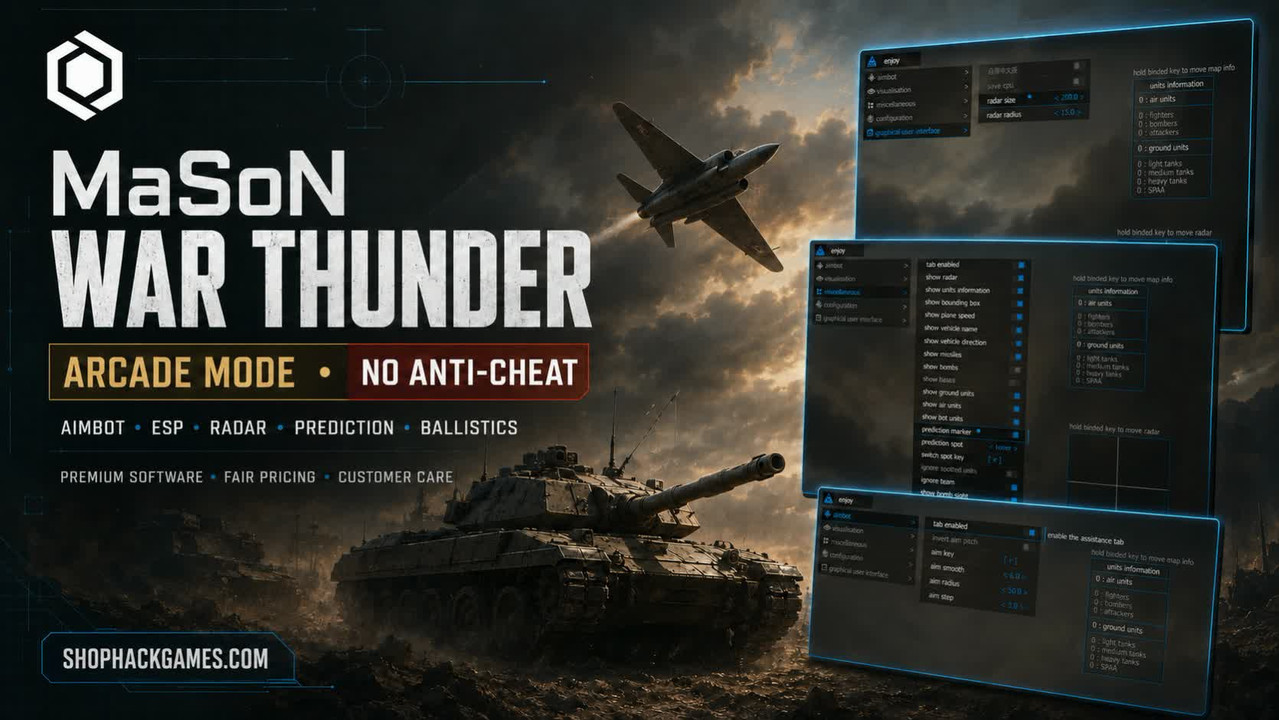
🎯 AIMBOT • 👁️ ESP • 📡 RADAR • 🚀 PREDICTION • 💥 BALLISTICS
💎 Premium gaming software • Fair pricing • Professional customer care
🚀 IMPROVE YOUR BATTLEFIELD AWARENESS
MaSoN for War Thunder Arcade is a highly configurable solution designed for players who want more precise targeting, clearer battlefield information, and convenient vehicle-combat tools.
🎯 Configure the aiming assistance to match your preferred playstyle.
👁️ Receive valuable information about ground vehicles, aircraft, missiles, bombs, bases, and other battlefield objects.
📡 Use the customizable radar and unit-information window to maintain better awareness during intense battles.
⚙️ Save your preferred settings and quickly restore them whenever required.
⭐ This edition is intended for War Thunder Arcade and does not require anti-cheat.
🎯 AIMBOT — CONFIGURABLE AIMING ASSISTANCE
- ✅ Enable Aimbot — activate or disable aiming assistance
- ⌨️ Aim Key — assign a convenient activation key
- 🎚️ Aim Smoothness — adjust the aimbot aiming speed
- ⭕ Aim Radius — configure the target acquisition radius
- 〰️ Aim Step — adjust the amount of aiming movement and shaking
💡 The available settings allow you to configure the aiming behavior for different vehicles and combat situations.
👁️ VISUALISATION — ADVANCED BATTLEFIELD ESP
📡 Radar & Unit Information
- ✅ Enable ESP — activate visual functions
- 📡 Show Radar — display nearby units on a separate radar
- 📋 Show Units Information — display detailed information about available units
- 💤 Show Dormant Units — retain the last received vehicle-position information regardless of distance
- 🟩 Bounding Box — display a box around enemy vehicles
- 📏 Show Distance — display the distance to targets
- 🗺️ Display Distance — configure the maximum ESP rendering range
⚠️
Dormant-unit information is not available in aircraft modes.
🚜 Vehicle & Player Information
- 🏷️ Show Vehicle Name — display the name of each vehicle
- 🧭 Show Vehicle Direction — display the vehicle’s movement direction
- 👤 Show Player Name — display player nicknames
- ✈️ Show Plane Speed — display current aircraft speed
- 🛡️ Ignore Team — hide allied units from the ESP
- 🔎 Ignore Spotted Units — ignore units already detected by the game
💚 When the team filter is disabled, allied units are displayed in green.
✈️ Ground, Air & Objective ESP
- 🚜 Show Ground Units — display tanks and other ground vehicles
- ✈️ Show Air Units — display aircraft and helicopters
- 🤖 Show Bot Units — display AI-controlled units
- 🚀 Show Missiles — highlight missiles
- 💣 Show Bombs — highlight bombs
- 🏴 Show Bases — display enemy bases and airfields
🎯 PREDICTION & TARGET INFORMATION
- 🔮 Prediction Marker — display a lead marker for aircraft, tanks, and other vehicles
- 🎯 Prediction Spot — select the calculation point, including the turret or hull
- ⌨️ Switch Spot Key — assign a key for changing the prediction point
- 👁️ Visibility Indicator — display an eye icon when the enemy is within direct visibility
- 🔄 Reload Indicator — display enemy reload information
- 🚨 Air Missile Warning — receive a warning about incoming air missiles
💣 BOMB SIGHT & BALLISTIC TOOLS
- 🎯 Show Bomb Sight — display a bombing sight
- 📏 Sight Trigger Distance — configure the bomb-sight activation distance
- 💥 Show Ballistic Crosshair — display the predicted projectile impact point for tanks
- 🔭 Unlimited Ballistic Cross — remove the standard range limitation of the ballistic sight
- 🚀 HUD Aim Prediction — enable the game engine’s built-in prediction indicator
- 🚢 HUD Ship Indicator — enable the ship information indicator
- 🚨 HUD Rocket Indicator — display a missile-fire warning
🛠️ MISCELLANEOUS FEATURES
- 🕹️ Arcade Steering Mode — use arcade-style controls in Simulator battles for aircraft and helicopters
- 🎥 Gunner Camera from Sight — adjust the gunner-camera behavior
- ✨ Vehicle Outline on Aim — display an outline around the vehicle currently in your sight
- 🔭 Zoom FOV Limit — configure a custom zoom limit for long-range aiming
- ✈️ SB Third Person — activate third-person view while flying in Simulator battles
💡 When
SB Third Person and
Arcade Steering Mode are used together, aircraft controls become significantly closer to the Arcade experience.
⚠️ UNTRUSTED FEATURES WARNING
The
Enable Untrusted Features option unlocks the full functionality of the Miscellaneous section. These options may carry a higher restriction risk and should only be enabled if you understand and accept that risk.
💾 CONFIGURATION SYSTEM
- 💻 Save CPU — reduce processor-resource usage
- ↔️ Move Info Key — assign a key for repositioning the unit-information window
- 📡 Move Radar Key — assign a key for repositioning the radar
- 📥 Load Config from Clipboard — restore a previously saved configuration
- 📤 Save Config to Clipboard — copy the selected settings to the clipboard
⚙️ Save your preferred configuration and restore it without having to adjust every option again.
🖥️ GRAPHICAL USER INTERFACE
- 🌐 Menu Language Selection — choose between English and Chinese
- 💻 Save CPU — reduce processor usage
- 📐 Radar Size — configure the size of the radar window
- ⭕ Radar Radius — adjust the radar coverage radius
ℹ️ IMPORTANT INFORMATION ABOUT ESP
War Thunder uses server-controlled visibility mechanics. Enemy vehicle models and their information are sent to the client only after the server processes the player’s camera position, viewing direction, viewing angle, and other visibility conditions.
Because of this, ESP can only display units whose information has already been transmitted to the game client. It cannot reveal vehicle models that the server has not provided.
✅ This is the expected behavior of the software and is determined by War Thunder’s server-side mechanics.
💎 WHY BUY FROM SHOPHACKGAMES?
Purchasing from ShopHackGames means receiving more than access to the product. We assist our customers before, during, and after their purchase.
- 💰 Fair and transparent pricing
- 📅 Flexible license durations
- ⚡ Fast digital order processing
- 📘 Clear installation and activation instructions
- 🛠️ Personal assistance with installation and setup
- 🔍 Help choosing the correct product and license
- 💬 Customer support after purchase
- 🏆 Years of experience with gaming software
- ❤️ Genuine attention to every customer
🤝 If you have questions about compatibility, functionality, installation, or license duration, contact us before purchasing. We will help you choose the most suitable option.
🚀 READY TO ENTER THE BATTLE?
Get MaSoN for War Thunder Arcade and access a powerful collection of configurable targeting, ESP, radar, prediction, and ballistic features.
🛒
VIEW THE PRODUCT & CURRENT PRICING
🌐 SHOPHACKGAMES.COM
💎 Premium Software • 💰 Fair Pricing • 💬 Customer-Focused Support
⚠️ Product availability and compatibility may change after game updates. Always check the current product status and follow the supplied instructions before launching. Some optional functionality may increase the risk of account restrictions. Complete protection from game or account sanctions cannot be guaranteed.











 War Thunder Arcade Cheats - AimBot / Wallhack / ESP





