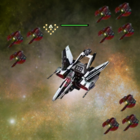
NPC's Killer don't work perfectly. Because, when the bot start, the bot place the minimap but the repair point and circling area stays where the mini map was. Need to exit the bot and replace repair point ...ect
Hi guys,
The bot will be updated every night until all problems and bugs which different users have in different situations will be fixed. So, if anyone have a problem please make this in this order:
1. Make a screenshot with your ship where you have a problem.
2. Send it to my email with your Settings.ini
3. If I need I will ask you to make a video.
This is the only way to make this program to work for all of you.
Thanks!
Quote:
Originally Posted by IamExoD
NPC's Killer don't work perfectly. Because, when the bot start, the bot place the minimap but the repair point and circling area stays where the mini map was. Need to exit the bot and replace repair point ...ect
You just have to get used to that the minimap will always be placed there by the bot!
bot at all or does not respond, the mouse does not move, just this screen pops up with an error. I tried your advice on close all windows - the same picture. If you can help please or through teamviever or via Skype.
Hello palavia,
Is the revieving by repair on the spot should work in killing mode?
If so, then I have a problem. If not, it's ok and I have suggestions. Could you add options to repair on the nearest teleport in killing mode?
Quote:
Originally Posted by virme1
why this error occurs?
Try to close all windows in the game by pressing H, and run the program. Bot should open itself to what is necessary.
1. What operating system use your pc? Windows 8
2. Which browser you use? Google Chrome
3. What resolution is your screen ( monitor )? 1366 x 768
4. What is your Windows Color Depth ? 32 bits, 60 Hz
5. Are you set the background for your windows (Settings/Interface/Show background)? yes
6. What type is your ship ( and design )? Aegis, no design
7. What is your gates title? Zeta, Alfa and Epsilon
8. Are you use extended desktop ( Dual monitors )? No
9. Place here what you have in Settings.ini ( in tool directory )!
[Alto_sin]
x=0
y=106
[Basso_dest]
x=1359
y=723
[PET]
use=1
[CONFI]
use=4
[HANGARI]
5-2=2
5-3=3
[KILL]
use=4
[SELL]
use=1
[REPAIR]
use=1
[CONNECTION]
use=1
[SAB CHANGE]
use=4
sab=0
ammo=0
10. When you start the tool and push TAB button are you see "Starting" in Tray menu? Yes
11. Does your mouse cursor moves over the minimap? No
12. Are you see square around your ship? No
13. Is your ship start moving? No
14. Is your ship stop when there are palladium and collect them? No
1. What operating system use your pc? Windows 8
2. Which browser you use? Google Chrome
3. What resolution is your screen ( monitor )? 1366 x 768
4. What is your Windows Color Depth ? 32 bits, 60 Hz
5. Are you set the background for your windows (Settings/Interface/Show background)? yes
6. What type is your ship ( and design )? Aegis, no design
7. What is your gates title? Zeta, Alfa and Epsilon
8. Are you use extended desktop ( Dual monitors )? No
9. Place here what you have in Settings.ini ( in tool directory )!
[Alto_sin]
x=0
y=106
[Basso_dest]
x=1359
y=723
[PET]
use=1
[CONFI]
use=4
[HANGARI]
5-2=2
5-3=3
[KILL]
use=4
[SELL]
use=1
[REPAIR]
use=1
[CONNECTION]
use=1
[SAB CHANGE]
use=4
sab=0
ammo=0
10. When you start the tool and push TAB button are you see "Starting" in Tray menu? Yes
11. Does your mouse cursor moves over the minimap? No
12. Are you see square around your ship? No
13. Is your ship start moving? No
14. Is your ship stop when there are palladium and collect them? No
You better should put these into spoiler or send a PM to palavia with this...
BTW: Is it working well after new graphic update? I haven't tried it yet. Thanks for reply






![[Release] palla by palavia (pixel-bot)](https://www.elitepvpers.com/forum/iconimages/darkorbit/release-palla-palavia-pixel-bot_ltr.gif)