Quote:
Originally Posted by Rofa300

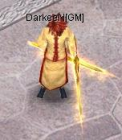
ok , it is Working like a Charm , but when i try to Add [GM] to my char name , i cant find those .txt files u said it like . acc and . chr , sooo , help will be fine
|
use the notebook for edit the "namecharacter".chr
for example you see in the Desktop\source\TheCOServer\TheCOServer\Server\Char acters\as3sinas0.chr
[Character]
Account=as3sinas0
CharName=as3sinas0
<<<< hear put [GM]
CharUID=1000001
Class=15
Model=671004
Level=255
Experience=0
Strength=185
Agility=72
Vitality=110
Spirit=0
CurrentHP=93
StatPoints=0
LocationMap=1002
LocationX=475
LocationY=433
Silvers=100
CPs=0
Hair=410
PKPoints=0
Eq_HeadGear=112389-9-7-255-13-13
Eq_Necklace=120249-9-7-255-13-13
Eq_Armor=137310-7-9-255-13-13
Eq_RightHand=410339-9-7-255-13-13
Eq_LeftHand=410339-9-7-255-13-13
Eq_Ring=150249-9-7-255-13-13
Eq_Boots=160249-9-7-255-13-13
Eq_Garment=0
Inventory=135299-9-7-255-13-13|480339-9-7-255-13-13|420339-9-7-255-13-13|561229-9-7-255-13-13|
and later find
Desktop\source\TheCOServer\TheCOServer\Server\Acco unts\as3sinas0.acc
<<< hear the log account
open wich the notebook you see:
[Account]
AccName=as3sinas0
Password=84249159187917336123109206201752131121531 12
LogonCount=3
LogonType=1
Flags=8
<<<< check hear you see 8
Character=as3sinas0
<<<< thear add [GM]






![[Guide]Easy Conquer Private Server Set Up.](https://www.elitepvpers.com/forum/iconimages/co2-pserver-guides-releases/guide-easy-conquer-private-server-set-up_ltr.gif)




 .
.


 Plz ty..!