do you actually have to run this program everytime you want the shadows changed? or do you just run it once and it's done. if not... is there a way to simply edit the shadow file in the co folder so it's always there?
I have made one of my own, I think you may find it more user friendly.
My version, however, does not remove the ini files, I dont see a need, you can do this yourself, if I receive enough requests, however, I can add this option.
Extract the contents of the rar to a folder and run the exe.
The executable is UPX Packed to prevent decompiling of my code. (this may result in false positives when visur scanning)
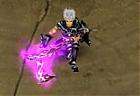
<!--BEGIN EDIT--!> 12.14.07 (Updated tool/Screenshot)
Tool now has option to start conquer after shadow change and start with "blacknull" (Autopatch bypass)
Screenshot:: <!--END EDIT--!>
Antivir: Nothing found ArcaVir: Nothing found Avast: Nothing found AVG: Nothing found BitDefender: Nothing found ClamAV: Nothing found F-Prot: Nothing found Norman: Nothing found Rising: Nothing found VirusBlokAda32: Nothing found VirusBuster: Nothing found
Scanned by
Any questions about this or anything else should be emailed to me at [ ]
Hi? can u tell me how to use that program? also the new patch in CO2 is now 5007,will it still works? ill be thankful if u can help me...
do you actually have to run this program everytime you want the shadows changed? or do you just run it once and it's done. if not... is there a way to simply edit the shadow file in the co folder so it's always there?
its a one time deal, no need to re-run.
Quote:
Originally Posted by Jimward01
Hi? can u tell me how to use that program? also the new patch in CO2 is now 5007,will it still works? ill be thankful if u can help me...
open it, locate ur co directory, choose your shadow and click change shadows.
yes it will still work.
Quote:
Originally Posted by sariel
hi.
i cant make this program work, it's say "Path not found"
help?
do you have your conquer directory right?
Quote:
Originally Posted by Jimward01
same thing here..."Path not Found" is there neyone who can help us??
do you have your conquer directory right?
Quote:
Originally Posted by kkaosbudbud
you could add the option to undo the shadow changes.
uhh that would be use "CO Default" option, deletes the dds and the directory so co uses the simpleShadow.dds in their c3 files.
yeah and i already and change the shadows in to simple shadows (Red,Green,Violet) but it still says "Path not Found"
You do not need to change the name of any files, just extract the executable and the folder "data" from the rar to the same place. Then run the executable and go from there.
Quote:
Originally Posted by bosha
thx aloooooooooooooot it's so nice
Thank you, I only release the finest of my work into the community.
[D2NT_Sterni_3.8b] - Upgraded CharConfig 10/05/2010 - Diablo 2 - 17 Replies Hi Leute,
mir mar mal wieder langweilig und da mir das Pickit basteln irgendwie gefehlt hat hab ich mich mal an die Charconfig gesetzt. Mir war die einfach zu unübersichtlich und zuviel aussen rum. Deshalb hab ich das Ding jetzt mal etwas gekürzt, neu eingeteilt und eine Config gebaut die für alle Chars usable ist, soz. EINEN Rohling der für jeden Char abgeändert werden kann. Zusätzlich ist das WPCatcher Script und das Necro Summoner Tool eingebaut. Hierzu müsst ihr allerdings die...
Upgraded Past 70 04/09/2009 - SRO Private Server - 15 Replies I upgraded my skill past 70, then downgraded it back down, its not appearing in my skill list..
what do i do?
forum software upgraded 02/15/2009 - Main - 29 Replies We've just upgraded our forum software, please report all bugs in this topic, thanks.
have a nice stay
- epvp staff
Ger:
Wir haben soeben unsere Foren-Software aktualisiert, falls ihr einen bug findet bitte in diesem topic bescheid geben, danke.
Viel spaß weiterhin,
NEW reflexinjector 2.0 upgraded 01/15/2008 - GunZ - 1 Replies The newer reflex injector upgraded from 1.0 to 2.0 use this one, 90% not detected im still trying to bypass a bit, but this works.
here is the link:
http://rapidshare.com/files/83634424/reflexinjecto r_v_2.zip.html

















 .. thnx


